Estimated reading time: 10 minutes
We’ve recently dealt with several HP OLED laptops that demonstrate this problem perfectly. When OLED displays are damaged, they stop working completely, even if there are no visible cracks. The screens are very expensive and either sold as a complete assembly for more half the price of the laptop, or have to be ordered from overseas, with several different options that are not interchangeable due to resolution, touch/non-touch, connector size and even the plastic bezel surrounding the screen.
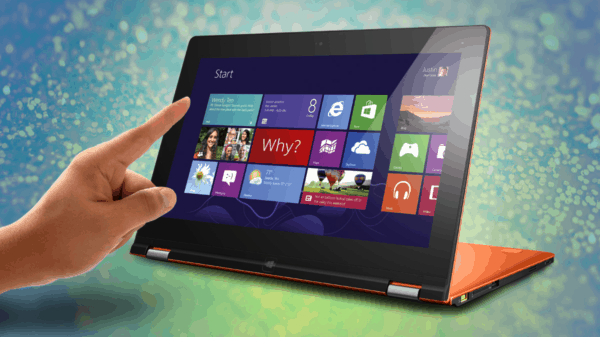
The situation gets worse with convertible laptops. On a conventional laptop, the screen is often a replaceable panel mounted inside a lid. On some new touchscreen models, the display panel, touch layer, glass and plastic mounting pieces are bonded together at the factory. Replacement sellers may advertise the correct part numbers, only for the delivered part to be a bare screen without the bezel casing or touch-controller board. Technically, it may be the correct screen. Practically, transferring the missing pieces without breaking an extremely thin screen can turn into a delicate and time-consuming job.
None of that is obvious when you’re buying the laptop.
The Specification Sheet Doesn’t Show Downtime
Most laptop comparisons focus on processor performance, memory, storage, battery life, screen quality and weight. Those things matter, but businesses should also be asking a less exciting question: what happens when it breaks? If it’s the only computer running your accounting system, processing customer bookings, controlling specialist equipment or travelling with a salesperson, parts availability matters more than whether its OLED screen produces slightly better colours. A laptop that takes three weeks to repair isn’t just a repair bill. It can mean lost work, delayed invoices, unhappy customers and an employee being paid while struggling with a borrowed machine.
For a home user, an unusual laptop might be worth the risk. You may love the design enough to tolerate an expensive repair later. For a business relying on the machine every day, that calculation should be different. Reliability isn’t only about how often something fails. It is also about how quickly normal operations can resume after it does.
Think of a proper business laptop more like a race car than a Bugatti. A race car may be highly advanced, but it is also designed to be serviced quickly. Parts that wear out or get damaged need to be accessible and replaceable because every minute in the workshop matters. A rare exotic car may be beautiful, fast and impressive, but when it needs a model-specific part, you may be waiting for a specialist component from the other side of the world. Mission-critical computers should follow the race-car approach: standardised, serviceable and ready to get back into operation quickly.
This is why standardisation matters.
Thin And Light Can Become Fragile And Expensive
Manufacturers have spent years competing to make laptops thinner and lighter. That looks good in advertising and feels impressive when you first pick up the machine, but the weight has to be removed from somewhere. Chassis materials become thinner, plastic clips become smaller, internal components are packed more tightly and parts that were previously screwed into place are increasingly glued or bonded together.
The exterior often doesn’t tolerate years of daily business use as well as the thicker machines it replaced. Thin display lids flex more easily. Palmrests can crack around hinges and screw mounts. Bottom covers bend, clips break and lightweight metal chassis can become permanently distorted after a relatively minor impact. Once the frame is bent, even fitting a replacement screen or closing the lid properly can become difficult.
Labour also costs more on many thin laptops because disassembly takes longer and carries more risk. Removing a conventional bottom cover might take a few minutes. Opening an ultra-thin model without damaging the edges, snapping tiny clips or bending the cover can take considerably longer. Batteries, keyboards, touchpads and charging ports may be glued down or buried under multiple layers of components.
Even experienced technicians need to slow down because one slip can turn a straightforward repair into a much larger problem. A thin OLED panel can crack while being removed. A delicate ribbon cable can tear. A glued battery can be punctured if handled incorrectly. Plastic trim that wraps around the display may need to be heated and carefully separated before it can be transferred to the replacement screen. The customer isn’t necessarily paying more because the technician’s hourly rate changed; they’re paying for the additional time, risk and complexity built into the laptop.
Saving a few hundred grams can therefore create a machine that is more expensive to repair and less likely to survive the knocks of everyday business use. Unless staff genuinely need the lightest possible laptop for frequent travel, a slightly thicker and more conventional design is often the better long-term choice.
The Attractive Price May Hide The Real Cost
Some of the fanciest consumer laptops are surprisingly affordable for what they appear to offer. An HP OmniBook, Lenovo Yoga or ASUS convertible might include an OLED touchscreen, aluminium body and excellent processor for less than $1500. In fact, we used to recommmend those HP OmniBook laptops for students.
Part of the reason these machines can reach attractive price points is that the manufacturer doesn’t necessarily maintain the same long-term parts and service infrastructure behind them. The laptop is built, shipped and sold, but there may be little provision for stocking complete screens, keyboards, palmrests, hinges and other model-specific parts for years afterwards. When the production run ends, the supply of replacement components may effectively end with it.
Legacy manufacturers traditionally understood that supporting a vehicle or machine meant keeping parts available long after the original sale. That stock costs money. Warehousing parts, maintaining catalogues, publishing service information and operating a distribution network all add to the upfront price. When those costs are stripped out, the product can be sold more cheaply – but the expense hasn’t disappeared. It has merely been pushed into the future and handed to somebody else.
We can see a similar problem with some newer Chinese electric vehicles. A car may be inexpensive and well equipped, but insurers can find that relatively minor accident damage requires an entire battery enclosure, body section or electronic assembly that is unavailable or uneconomical to replace. A repairable car can then become a write-off, not because the damage is catastrophic, but because the parts and repair infrastructure aren’t there.
The same principle applies to laptops on a smaller scale. A cracked screen shouldn’t end the useful life of a two-year-old computer. Yet if the exact bonded screen and digitiser assembly is unavailable, or costs most of the laptop’s replacement value, that may be exactly what happens. You may not pay all of that cost directly at the repair counter. Some of it appears through higher extended-warranty or insurance prices. Some is absorbed by businesses through downtime and early replacement. Some becomes an environmental cost when an otherwise functional computer enters the recycling stream because one model-specific component cannot be obtained.
And recycling isn’t free or magically efficient. The machine still has to be collected, transported, assessed and dismantled. Materials need to be separated, and many components cannot be economically recovered at all. Manufacturing and shipping the replacement computer consumes more energy and resources. A low purchase price can therefore create higher costs elsewhere, even if those costs never appear on your original receipt. Paying less upfront doesn’t necessarily mean spending less. It can mean replacing the laptop sooner, paying more for labour, accepting a lower resale value and creating more waste because the manufacturer saved money by never building a proper supply chain for repairs.
Rare Laptops Create Common Problems
We’ve seen plenty of high-end and gaming laptops that looked excellent when new. They usually have impressive specifications and attractive designs, particularly for people wanting gaming performance in a relatively portable machine. The trouble starts when they need anything beyond a basic SSD or memory upgrade.
Screens, keyboards, fans, batteries, palmrests, charging ports and display cables can be extremely difficult to source. Sometimes the only available part is a used one removed from another damaged laptop overseas. Sometimes the correct part appears in a listing but is permanently out of stock. In other cases, the seller uses a generic photo and claims compatibility with a long list of models, leaving the repairer to discover whether it genuinely fits. Even if a part can be found, waiting several weeks for an overseas shipment is not a good solution for a mission-critical computer. If the part arrives damaged or turns out to be a slightly different revision, the entire process starts again.
This isn’t necessarily because these are bad laptops. It is a consequence of sales volume and product design. Fewer machines in circulation means fewer spare parts, fewer damaged donor machines and less incentive for parts distributors to carry stock. A model can be beautifully engineered and still be a terrible business purchase if nobody can supply a replacement keyboard three years later.
The same problem affects unusual consumer laptops from larger manufacturers. A well-known logo on the lid doesn’t guarantee parts availability. Manufacturers can produce dozens of short-lived consumer models that look similar but use different screens, batteries, cables and chassis components. By the time a replacement is needed, the exact model may have disappeared from the market.
Common Enterprise Models Are Usually The Safer Choice
For business use, we generally recommend established enterprise ranges such as Dell Latitude, HP ProBook and EliteBook, or Lenovo ThinkPad. These laptops are sold in larger numbers to businesses, schools and government organisations. They’re more likely to have proper service documentation, identifiable part numbers and replacement components available through multiple suppliers.
That doesn’t mean every Latitude, EliteBook or ThinkPad is automatically good, nor does it mean every part will be cheap. Modern enterprise laptops are also becoming thinner, more integrated and less repairable too. However, the odds are generally much better than with an obscure consumer or boutique gaming model.
The higher purchase price of an enterprise laptop isn’t necessarily paying for a faster processor or a prettier screen. Some of it pays for longer product cycles, warranty support, service documentation and a parts network that may still exist several years later. Those things don’t look exciting on a showroom label, but they become extremely valuable the day something breaks.
Enterprise lines also tend to reuse parts across several generations. Technicians are familiar with their construction. Used and refurbished parts are easier to find. There are more donor machines available, and replacement screens are more likely to use common specifications instead of a panel manufactured for one short-lived model.
When a business buys several laptops, choosing the same model – or at least the same product family – makes support much easier. Staff can share chargers and docking stations. One prepared spare laptop can temporarily replace another. Standard Windows images, drivers and security settings can be reused. If a machine is damaged, data can be moved to an identical replacement without the user having to adjust to a different keyboard, screen arrangement or docking setup.
There is also less diagnostic guesswork. If five identical laptops develop the same charging or hinge problem, the business knows what to expect and can keep the relevant part available. With five completely different laptops, every repair becomes a new research project.
Buy For The Repair, not Just The Specs
The best business laptop isn’t necessarily the thinnest, fastest or most impressive-looking machine in the shop. It is the one that does the job reliably, can be supported consistently and doesn’t bring the business to a halt when somebody closes a pen inside the lid.
Before purchasing a fleet – or even one laptop that the business cannot operate without – look beyond the specifications. Check whether replacement batteries, keyboards, screens, fans and chargers are readily available. Ask whether the memory and storage can be replaced. Find out whether the display is a conventional panel or a complete bonded assembly. Consider longer warranty rather than relying solely on standard one-year coverage.
Most importantly, avoid building essential operations around a unique machine with no immediate replacement. If a laptop is genuinely mission-critical, keep a second prepared computer available. Spare parts are useful, but a ready-to-go spare laptop is what keeps the employee working while the damaged one is being repaired.
There is nothing wrong with buying something unusual because you like it. Just don’t confuse an impressive specification sheet or a discounted purchase price with a practical business tool. Once downtime, labour costs, physical durability, insurance, replacement frequency, recycling and parts availability are included in the calculation, the ordinary-looking Latitude, ProBook, EliteBook or ThinkPad often becomes the cheaper machine.