Skip to content
Fix My Laptop Logo
07 3857 6875
  • Laptop RepairExpand
    • Screen Repair
    • Battery Replacement
    • Charging Port Repair
    • Keyboard Repair
    • Hinges Repair
    • Liquid Damage
  • MacBook RepairExpand
    • Screen Repair
    • Battery Replacement
  • Computer RepairExpand
    • Hardware Repair
    • Windows Issues
    • Virus Removal
  • UpgradesExpand
    • SSD Upgrade
    • RAM Upgrade
    • Wi-Fi Upgrade
  • Data Recovery
  • IT SupportExpand
    • Microsoft 365
    • On-Site IT Support
    • Remote IT Support
  • Computers Sales
  • Tech Tips
Fix My Laptop Logo
07 3857 6875
4.8 ★ • 390+ Google Reviews

MacBook Battery Replacement in Clayfield, Brisbane Northside

If your Mac has a swollen battery, dies at 30%, lags severely, or won’t boot at all, the battery is likely the culprit. On some MacBook models, a failing battery can prevent the machine from starting entirely – even when plugged in. We stock common MacBook batteries at our Clayfield workshop, so we can test and replace the batteries without long waiting times.

Visit Us in Clayfield
Book Repair Online

★ 4.8
Google Rating

⚙ Over 50,000 Successful Repairs

✓ Trusted by Brisbane locals since 2009

Common MacBook Battery Issues

Battery problems affect performance, stability, and daily usability. Here are the most common signs your MacBook battery needs replacement.

Battery Drains Quickly

Percentage drops fast under light everyday tasks. Instead of lasting a day, it now needs charging every few hours.

Unexpected Shutdowns

Turns off without warning, even with 20%–40% charge left.

Service Warning

MacOS displays “Service Recommended” or “Service Battery” in your menu bar settings.

Swollen Battery or Trackpad Lift

A swollen battery physically pushes up against the trackpad or bottom case – this is a safety hazard and requires immediate replacement.

MacBook Battery Testing

We confirm the exact cause before replacing anything, so you avoid unnecessary repairs and incorrect parts.
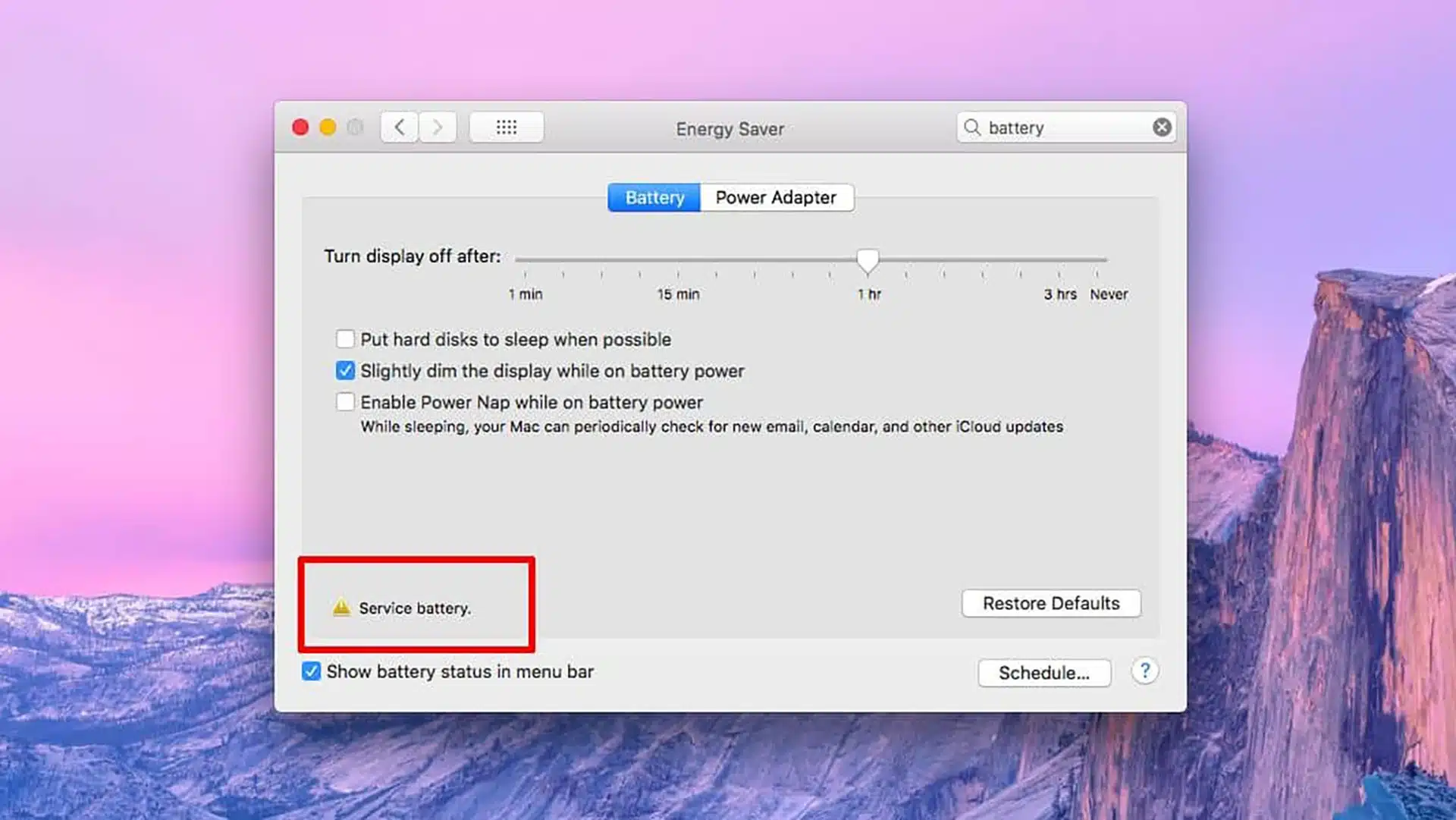
MacBook showing service battery warning in macOS energy saver settings indicating battery replacement needed

We don’t just swap parts blindly. Before replacing anything, we test battery cycle counts, health logs, and power delivery to confirm whether the battery itself or a board-level charging circuit is causing the issue.

Once verified, we carefully remove the old adhesive, clean internal dust, replace the thermal compound, and install a high-quality replacement matched to your specific MacBook model.

MacBook Battery Replacement Cost

Battery replacement cost depends on your exact MacBook model.

Legacy Models – consider laptop replacement

  • 13″ MacBook Air, A1466 (2013-2017) – $250
  • 13″ MacBook Pro, A1502 (2012-2015) – $300
  • 13″ MacBook Air & Pro, A1706/A1708, A1989/A1932/A2179 (2016-2020) – $350
  • 15″ and 16″ MacBook Pro, A1398, A1707/A1990/A2141 – $400

Apple Silicon – well worth doing!

  • 13″ MacBook Air and Pro, A2337 and A2338 (2020-2021) – $350
  • 14″ MacBook Pro A2442/A2779 (2021-2022) – $400
  • 13″ Macbook Air A2681, 15″ MacBook Air A2941 (2022-2023) – $450
  • 16″ MacBook Pro A2485/A2780 (2020-2023) – $550
Visit Us in Clayfield
Call Technician

Typical Price Range

$250 to $550

Battery pricing varies by model and availability. Final cost is confirmed after inspection.

Why MacBook Repairs Are So Expensive

If you’ve checked repair prices for a standard Windows laptop, you might wonder why MacBooks cost more to service. It comes down to premium hardware pricing, complex design, and repair risk.
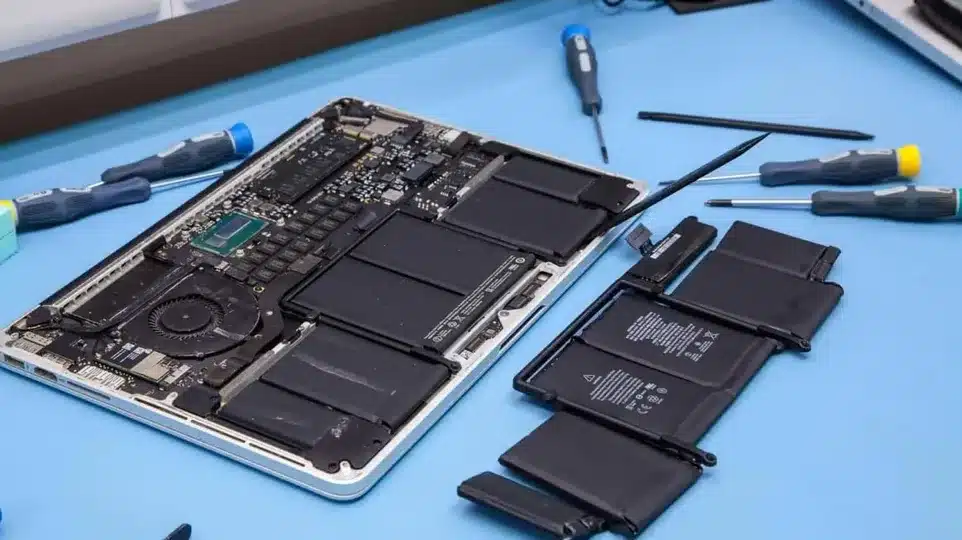
laptop-battery-replacement-brisbane-workshop

Premium Original Parts: MacBooks were $1,500 to $5,000+ laptops when new and parts are priced accordingly.

Heavy Factory Adhesive: Unlike standard Windows laptops with simple screw-in battery trays, Apple glues batteries directly into the aluminum top case. Removing them requires specialized solvents, heat control, and precision tools to lift without damaging the chassis.

Extreme Labor Risk: On modern MacBooks, delicate trackpad flex cables, speaker modules, and main logic board connections sit directly underneath or adjacent to the glued battery cells. One small slip during removal can destroy a mainboard or trackpad, demanding meticulous skill, specialized equipment, and extra time from the technician.

Why Choose Fix My Laptop
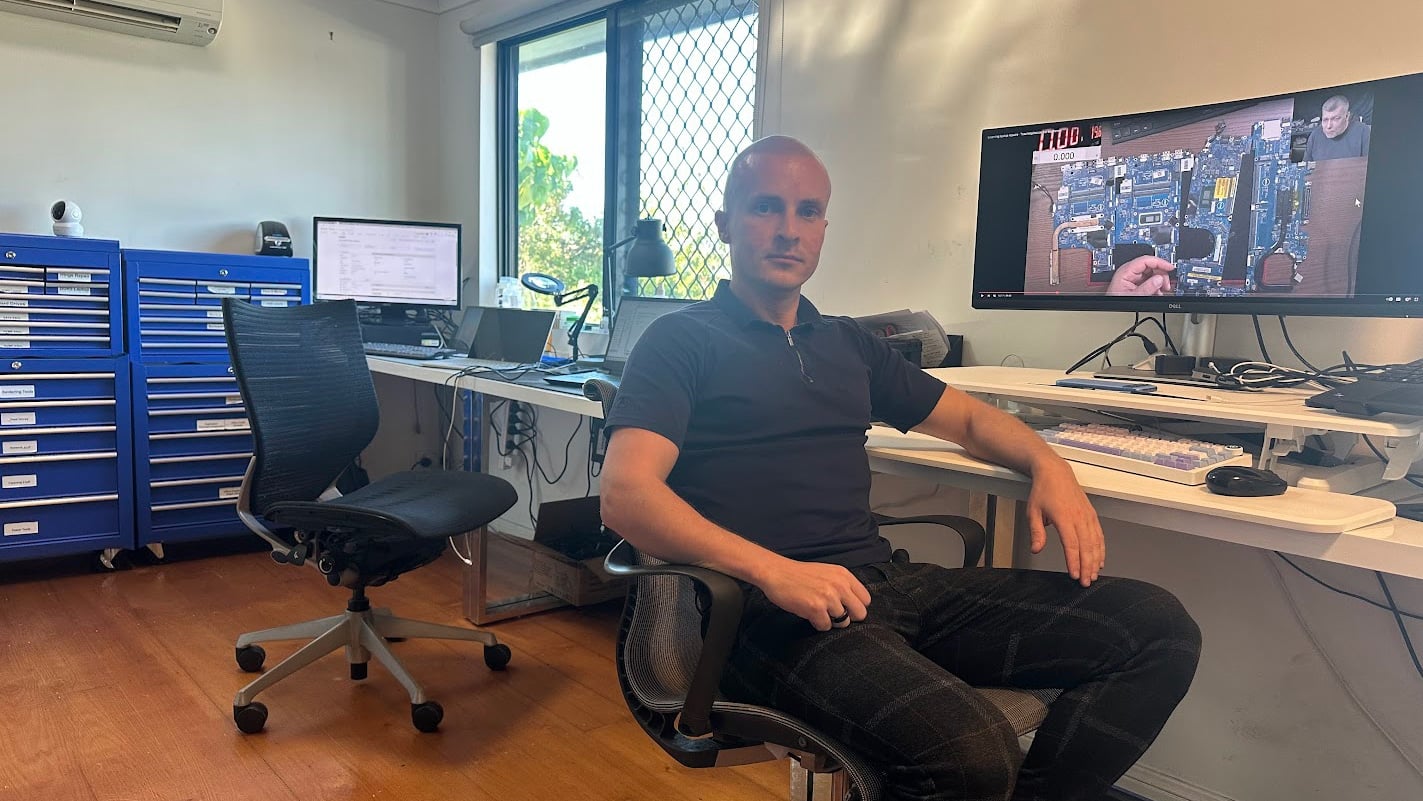
Sergey-Fix-My-Laptop-Workshop

At Fix My Laptop, we do not just replace parts; we help you make the smartest financial decision for your device. If your Mac has been declared dead, uneconomical to repair, or “vintage” by Apple, it may still be worth a second opinion.

  • Accurate diagnosis before replacement
  • Common parts stocked in-house
  • Careful handling of MacBook components
  • Fast turnaround for common models
  • Support across Intel and Apple silicon models
Official CompTIA A+ Certified IT Technician badge
Visit Us in Clayfield
Call Technician

MacBook Battery Replacement Process

Our process is simple and structured, so you know exactly what happens at each step.

STEP 1
Visit & Drop-off

Bring your MacBook to our workshop. Due to the complexity of the repair, we can’t do this on-site.
Please back up your data if you can, just in case.

STEP 2
Diagnostic & Quote

We check the battery health, test your charger, and provide you with a quote. We stock most batteries in-house.

STEP 3
Repair & Pickup

The repair can typically be done the same or next day depending on whether you had an appointment and our availability.

Related MacBook Repairs

Battery issues often appear alongside other faults, so these services may also be relevant.

MacBook Air screen replacement before and after repair in Brisbane showing damaged and fixed display

MacBook Screen Replacement

Cracked or faulty screens can affect visibility and daily use. We replace displays using correct panels and ensure proper installation and testing.

Replace Macbook Screen
Broken laptop charging port

Charging Port Repair

Charging problems are not always caused by the battery itself. We repair charging ports and restore stable power connections for consistent use.

Fix Charging Port
computer backup & recovery

Data Backup and Recovery

Important files should be protected before any repair work begins. We assist with backup and recovery to keep your data safe and accessible, anytime.

Protect Data

Come to Our Clayfield Workshop, Parking On-Site

Fix My Laptop is conveniently based in Clayfield, providing fast and quality repairs for customers across Brisbane Northside.

Most hardware problems require proper testing, the majority of our customers visit our workshop for hands-on diagnostics, repairs, and data recovery.
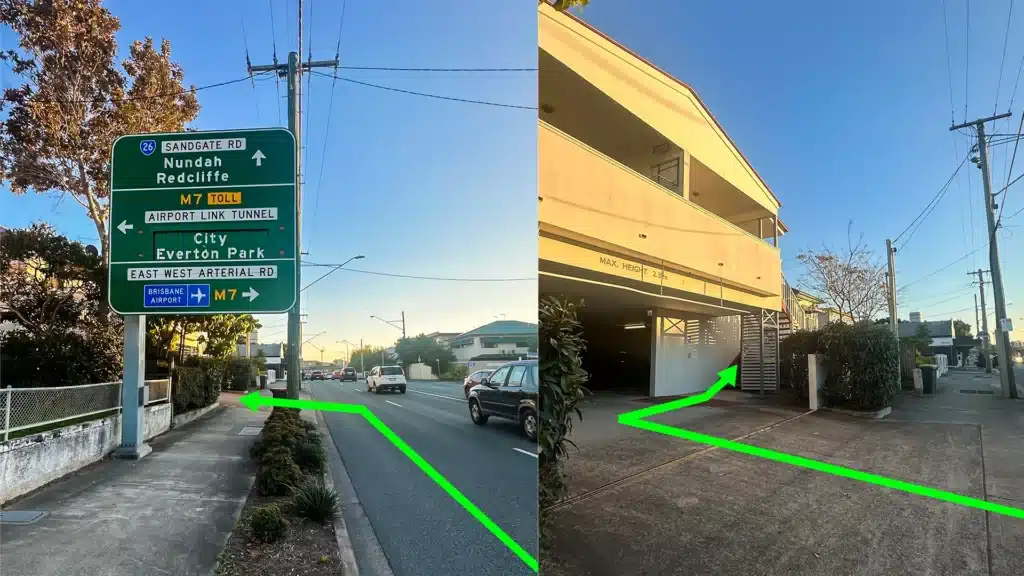
fix-my-laptop-direction

Our address is 2/890 Sandgate Road, Clayfield, QLD 4011

Easy visitor parking available on-site! Turn left into the units right after the Airport Link sign. Please use the guest parking spots. If not available, you can use parking on Kedron Street.

Monday10:00 AM — 6:00 PM
Tuesday8:00 AM — 6:00 PM
Wednesday10:00 AM — 6:00 PM
Thursday8:00 AM — 6:00 PM
Friday10:00 AM — 4:00 PM
Saturday10:00 AM — 4:00 PM
SundayClosed

See our updated hours on Google Maps before visiting. Appointments are preferred to ensure service on time.

Frequently Asked Questions

You can check your battery’s condition directly in macOS using a few quick steps:

  • Cycle Count Check: Hold down the Option key on your keyboard and click the Apple Menu () in the top-left corner, then select System Information. In the left sidebar under Hardware, select Power. Look for Cycle Count under Health Information. Most modern MacBooks are rated for 1,000 full charge cycles before the battery needs to be replaced.
  • Quick Menu Bar Check: Click the battery icon in the top-right menu bar. If your battery is degraded, it will display “Service Recommended” or “Service Battery” right at the top.
  • Battery Settings: Go to Apple Menu () > System Settings > Battery (or System Preferences on older macOS versions). Look for Battery Health to view your system condition and maximum remaining capacity percentage.

Yes, absolutely. If your MacBook still handles your daily tasks (like browsing, work, or streaming) without lagging, a new battery will breathe new life into it for a fraction of the cost of a new $1,500+ machine. It is the most cost-effective way to extend the lifespan of a perfectly good laptop for another 2 to 4 years.

No, replacing the battery does not involve your hard drive or logic board storage, so your files, photos, and apps are completely safe. However, as a standard best practice before any hardware repair, we always recommend backing up your data via Time Machine or iCloud before dropping your laptop off.

For most common models, we complete the replacement within 1 to 2 business days. This timeframe allows us to safely dissolve the old factory adhesive, carefully install the new battery, and run a full charge/discharge cycle test to ensure the system is completely stable before handing it back to you.

The most obvious physical signs are rapid draining and unexpected shutdowns (especially when the screen says you still have 20% to 30% charge left). If your trackpad feels stiff to click or your laptop doesn’t sit flat on the table, you likely have a swollen battery. You can also check your Mac’s built-in status by clicking the battery icon in the top right of your screen – if it says “Service Recommended,” it has reached the end of its lifespan.

Yes. A swollen battery is a significant fire and chemical hazard caused by a buildup of toxic gases inside the lithium-ion cells. If your trackpad is lifting or the bottom case is bulging, stop using the MacBook, unplug it from the charger, and bring it in for replacement immediately. Do not try to press the trackpad down, as puncturing the battery can cause a fire.

No appointment is necessary! You are welcome to walk into our Clayfield workshop during business hours. We will perform an initial inspection, confirm your exact model, and give you a fixed quote before proceeding with any work.

Yes, absolutely. When a MacBook’s battery is severely degraded or failing, it struggles to provide the peak power required for intensive tasks. To prevent the laptop from shutting down unexpectedly when you open an app or load a heavy webpage, macOS intentionally throttles (slows down) the processor. In many cases, if your Mac is inexplicably sluggish and has a “Service Recommended” warning, replacing the battery will instantly restore its normal speed and performance.

We provide a 3-month (90-day) warranty on all MacBook battery replacements. This covers the newly installed battery against manufacturing defects, unexpected cell failure, or rapid capacity loss under normal use.

Please note that this warranty applies strictly to the replacement battery supplied and installed by us. It does not cover pre-existing components, unrelated hardware faults, liquid/physical damage, or any third-party parts not provided by our workshop.

Replace Your MacBook Battery Before It Gets Worse

Visit Workshop
Call Technician

Prefer an Online Quote?

For simple laptop repairs, we can provide a clear quote based on the details you submit.

For more complex problems or personalised laptop support, it’s best to bring your device in.

2/890 Sandgate Road, Clayfield

07 3857 6875

0403 100 701

service@fixmylaptop.au

Fix-My-Laptop-Logo-Ftr

service@fixmylaptop.au

(07) 3857 6875

0403 100 701

2/890 Sandgate Road, Clayfield QLD 4011

Book Repair Online

BUSINESS HOURS

Monday10:00 AM — 6:00 PM
Tuesday8:00 AM — 6:00 PM
Wednesday10:00 AM — 6:00 PM
Thursday8:00 AM — 6:00 PM
Friday10:00 AM — 4:00 PM
Saturday10:00 AM — 4:00 PM
SundayClosed

Updated hours are always available on Google Maps

JOIN OUR NEWSLETTER

Be the first one to know of our Tech Savvy tips and exclusive offers!

© 2026 Fix My Laptop Brisbane

Terms and Conditions

Privacy Policy

Facebook X Linkedin
Scroll to top
  • Laptop Repair
    • Screen Replacement
    • Battery Replacement
    • Charging Port Repair
    • Keyboard Replacement
    • Laptop Hinges Repair
    • Liquid Damage Repair
  • MacBook Repair
    • Screen Repair
    • Battery Replacement
  • Computer Repair
    • Hardware Repair
    • Windows Repair
    • Virus & Malware Removal
  • Upgrades
    • SSD Upgrade
    • RAM Upgrade
    • Mesh Wi-Fi Systems
  • Data Recovery
  • IT Solutions
    • Microsoft 365 Solutions
    • On-site Support
    • Remote Support
  • Computer Sales
  • Tech Tips
  • Request a Quote