
Computer & Laptop RAM Upgrade in Clayfield, Brisbane Northside
Slow performance, freezing apps, or too many tabs open? We upgrade RAM to make your system faster and more responsive. And while the RAM prices are currently at all time high, upgrades are still cheaper than replacing your computer!
★ 4.8
Google Rating
⚙ Over 50,000 Successful Repairs
✓ Trusted by Brisbane locals since 2009
When RAM Upgrade Makes Sense
Improve speed, multitasking, and overall system responsiveness.
Slow Multitasking Performance
If you regularly flip between Word documents, your email client, and accounting software, and your computer pauses to think about it every single time, you’re likely running out of memory. A RAM upgrade gives your system the breathing room it needs to juggle multiple programs smoothly without those frustrating delays.
Frequent Freezing or Lag
There is nothing worse than your system locking up, the screen turning white, or the mouse cursor stuttering when you’re just trying to do light everyday work. When a computer hits its memory limit, everything grinds to a halt. Adding more RAM stops those constant micro-freezes and helps your applications run reliably.
Too Many Browser Tabs Open
Modern web browsers like Google Chrome are notorious memory hogs. If you’re the type of person who leaves twenty tabs open for work, research, or shopping, your computer will eventually choke. Upgrading your RAM lets you keep all those important tabs active without causing the browser to crash or the whole system to slow down.
Save Money on Replacement
You don’t necessarily need to throw out your whole computer just because its performance has dropped off. As long as the rest of the machine is in decent shape, dropping in some extra memory is a highly cost-effective way to get a few more good years out of your device without spending a thousand dollars or more on a brand-new one.
Choosing the Right RAM Configuration
Compatibility and configuration matter more than raw capacity. RAM upgrades depend on your system type, motherboard limits, and existing configuration. Memory is highly specific to the device, and getting it wrong leads to unstable systems or computers that simply refuse to boot.

Desktop vs. Laptop RAM: Desktop motherboards use larger DIMM modules, whereas laptops and all-in-one compact computers require smaller SO-DIMM memory.
Generations (DDR3, DDR4, DDR5): Memory sticks are physically keyed to specific generations and cannot be mixed. We determine exactly what your motherboard supports, whether that is older DDR3 for legacy machines (2009-2016), the current-standard DDR4 (2016-2026), or the ultra-fast DDR5 required by the latest CPUs.
Dual-Channel Performance: Whenever possible, we install RAM in matched pairs (e.g., two 8GB sticks rather than one 16GB stick). This activates dual-channel mode, essentially doubling the communication bandwidth between the memory and the processor for maximum speed.
Gaming RAM: For custom-built desktops and gaming rigs, we can use high-performance modules featuring heat spreaders for thermal management and optimized XMP profiles to achieve the highest stable clock speeds.
Soldered RAM Limitations: Some devices allow simple upgrades, while others require matched modules or have fixed memory. Many modern, ultra-thin laptops have the memory chips permanently soldered to the motherboard. If your memory is fixed, it cannot be upgraded.
Professional RAM Upgrade Service
Complete upgrade with compatibility checks, installation, and testing.
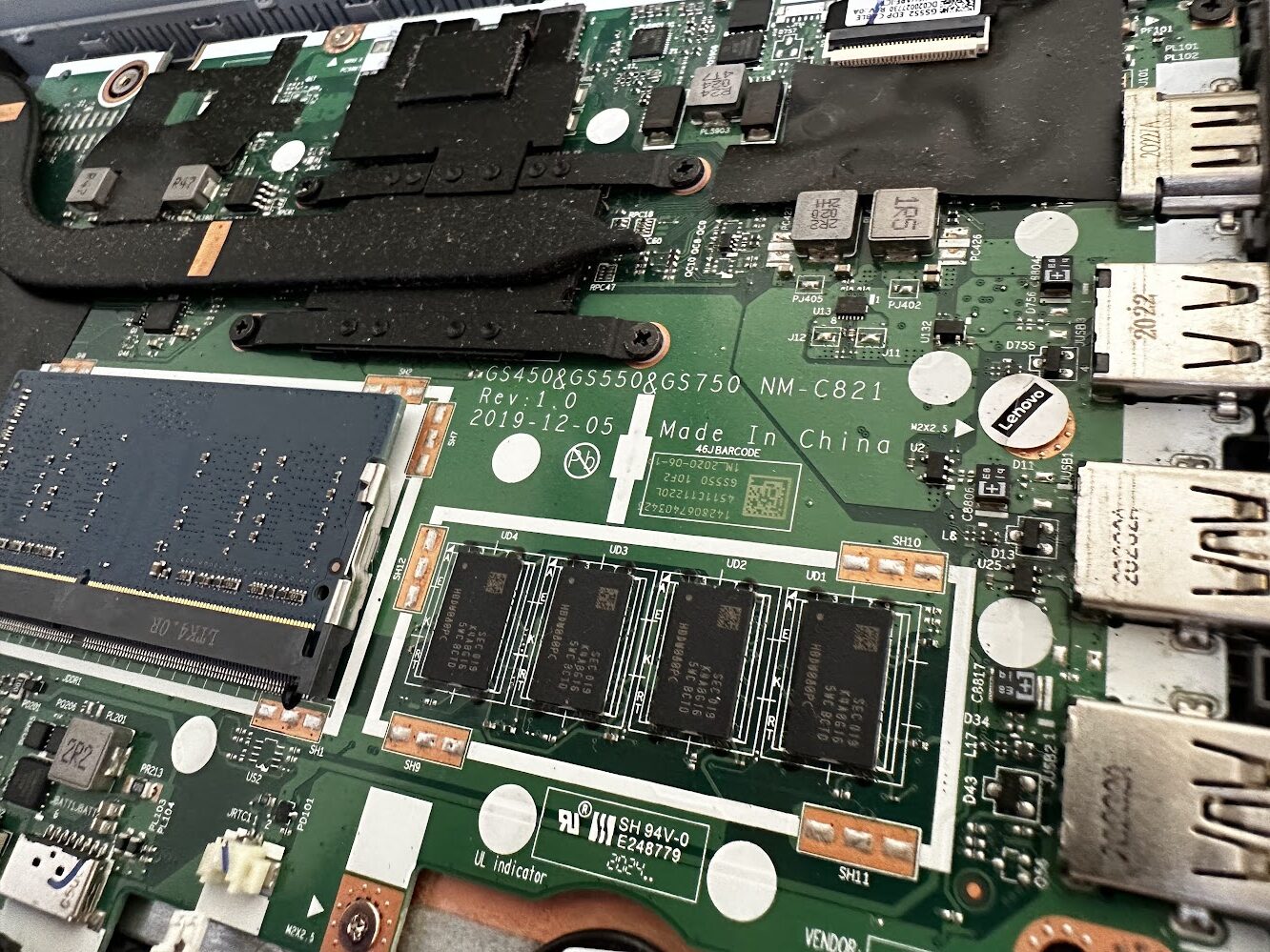
We upgrade your system memory using compatible, high quality RAM matched to your device. We check supported capacity, memory type, and optimal configuration before installation. This ensures stable performance and avoids compatibility issues or wasted upgrades.
The service includes installation, configuration, and stability testing to ensure reliable performance. We also optimise your system after installation so it uses the new memory effectively. This helps improve responsiveness, multitasking, and overall speed without unnecessary adjustments.
RAM Upgrade Pricing
Pricing depends on system compatibility, capacity, and configuration.
Labor Variations: Devices with accessible slots are quicker, while compact systems may require more time.
Honest Advice: We provide clear recommendations before proceeding so you understand expected performance improvements. This avoids unnecessary upgrades or incorrect configurations. Bring your computer in or contact us for a clear upgrade recommendation.
Note: While the RAM prices are currently at all-time high thanks to AI boom, upgrades are still cheaper than replacing your computer!
Bring your computer in or contact us for a clear upgrade recommendation.
Typical Price Range
$200 – $400
Come to Our Clayfield Workshop, Parking On-Site
Fix My Laptop is conveniently based in Clayfield, providing fast and quality repairs for customers across Brisbane Northside.
Most hardware problems require proper testing, the majority of our customers visit our workshop for hands-on diagnostics, repairs, and data recovery.
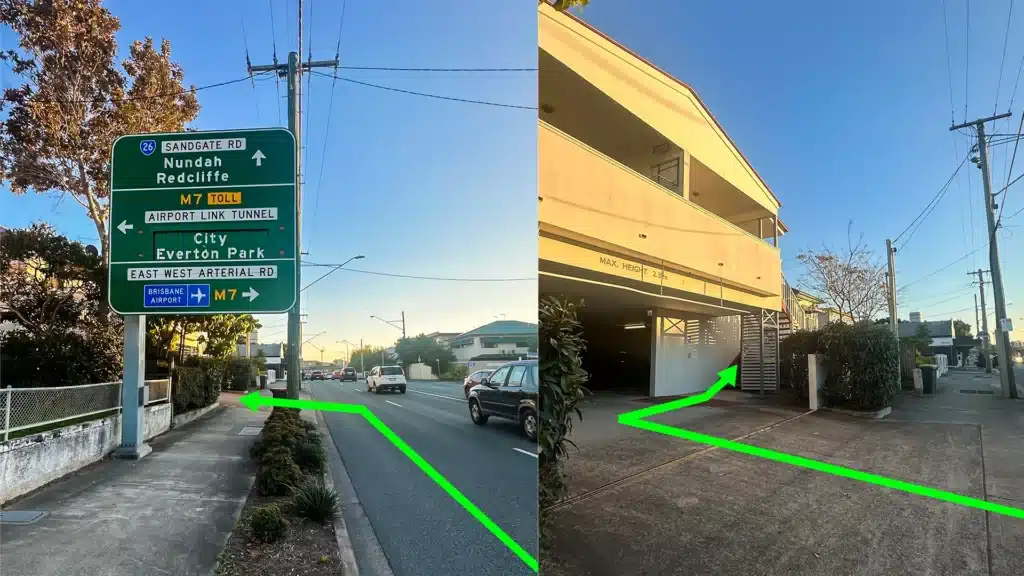
Our address is 2/890 Sandgate Road, Clayfield, QLD 4011
Easy visitor parking available on-site! Turn left into the units right after the Airport Link sign. Please use the guest parking spots. If not available, you can use parking on Kedron Street.
| Monday | 10:00 AM — 6:00 PM |
| Tuesday | 8:00 AM — 6:00 PM |
| Wednesday | 10:00 AM — 6:00 PM |
| Thursday | 8:00 AM — 6:00 PM |
| Friday | 10:00 AM — 4:00 PM |
| Saturday | 10:00 AM — 4:00 PM |
| Sunday | Closed |
See our updated hours on Google Maps before visiting. Appointments are preferred to ensure service on time.