
Windows Issues Repair in Clayfield, Brisbane Northside
Is your computer stuck, crashing, or painfully slow? Software problems can stop your work, corrupt files, and make your computer unreliable. However, most issues can be fixed without replacing your device. We diagnose the exact cause of your system issues and apply the right fix without unnecessary upsells. From minor software cleanups to complete operating system overhauls, our local Brisbane Northside workshop has you covered.
★ 4.8
Google Rating
⚙ Over 50,000 Successful Repairs
✓ Trusted by Brisbane locals since 2009
Common Windows Problems We Fix
If your system shows these signs, it likely needs software repair.
BSOD (Blue Screen of Death)
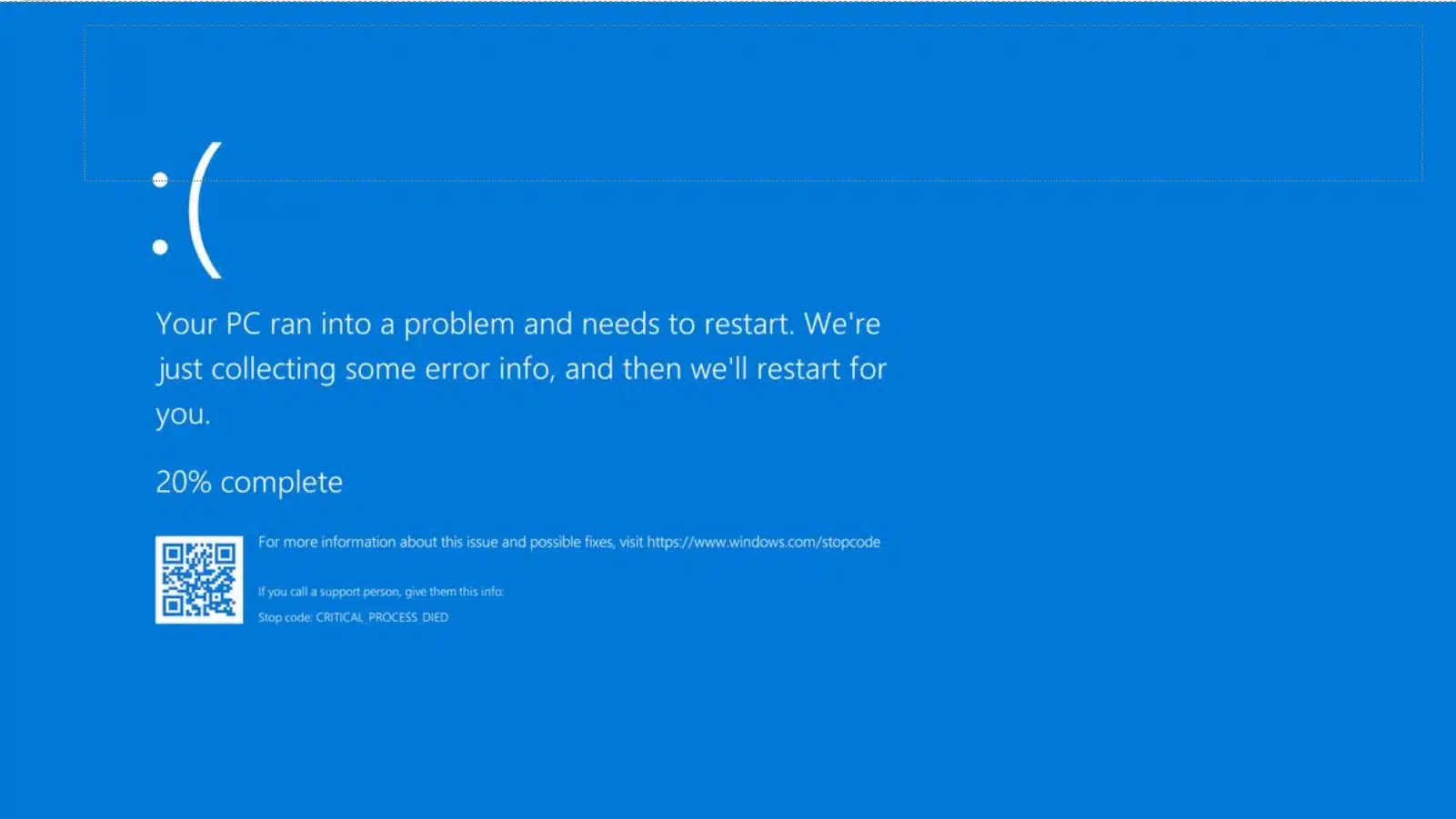
If your computer is freezing or repeatedly showing the Blue Screen of Death, we find the root cause – whether it is hardware failure, malware, or software conflicts.
Frequent crashes or freezing
Applications stop responding or system freezes during use. We identify instability causes and restore smooth and reliable performance.
Update failures or loops
Updates provide vital security patches and drivers, but they can sometimes get stuck on the “Working on Updates” screen or trap your PC in a boot loop.
Virus or malware infection
Cs typically slow down due to unnecessary startup programs, heavy antivirus suites, browser toolbars, and “PC cleaning” scams. We optimize your system and remove background clutter.
Email or Outlook issues
Email stops syncing or shows login and send errors. We repair account issues and restore reliable email access across your devices.
Slow system performance
Computer feels sluggish during normal tasks or startup. We optimise system performance and remove unnecessary junk, toolbars, driver updaters, and unused programs.
Why Windows Slows Down (And How to Prevent It)
The leading cause of a slow computer is installing junk software and not removing what you don’t need. The upside? You can probably make a cup of coffee while it’s loading!

To keep your system running like new, watch out for these culprits:
- Startup Programs & Services: Many programs add background services or taskbar icons you rarely use, drastically increasing load times.
- Heavy Antivirus & Cleaning Tools: “Premium” antivirus suites are often the worst offenders. Most “PC cleaning” tools are scams that slow down your computer to upsell you a paid version.
- Browser Toolbars: Avoid installing extra toolbars or free trial versions. They clutter your screen, slow down browsing, and can even track you online.
- DIY Prevention: Pay close attention when installing software (uncheck those extra boxes!), use Windows Disk Cleanup occasionally, and use Task Manager to disable startup programs you don’t recognize.
Windows Update Problems
We’ve all been there… you start your computer and see the dreaded “Working on Updates” screen that could take anywhere from a few minutes to a couple of hours.
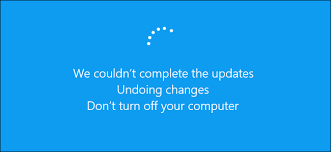
While monthly “Patch Tuesday” and major Feature Updates (Like Windows 11 22H2, 24H2, 25H2, etc) are great for security and stability, things can go wrong.
- Boot Loops: Your computer may become stuck undoing changes if an update fails.
- Underlying Causes: Updates usually fail due to a lack of storage space, a failing hard drive/SSD, or a temporary bug.
- Our Fix: We highly recommend backing up before major updates. If you get stuck, bring it to us – doing a backup at this stage is still possible, and it’s the first thing we do.
The Complete Windows Reinstall
Reinstalling Windows is usually the quickest way to resolve software problems, especially on computers a few years old.
Starting over with a clean, bloatware-free copy of the operating system is the best course of action when:
- You are selling or giving away your computer and need a secure wipe.
- Your computer has persistent errors or crashes with a Blue Screen of Death (BSOD).
- Your system is completely full of junk, or your operating system is corrupted.
- Pricing: For $150, we do a complete refresh. We install all drivers, updates, and useful software (like a free open-source LibreOffice suite) – with zero bloatware. Data backup and restore are available for an extra fee.
The Windows Reinstall & Refresh
Reinstalling Windows is usually the quickest way to resolve software problems, especially on computers a few years old.
A fresh installation is highly recommended when:
- You are planning to sell or give away your computer.
- Your PC has persistent errors or a corrupted operating system.
- Your system is overloaded with junk and bloatware.
Pricing: For $150, we do a complete refresh. We install all drivers, updates, and useful software (like a free open-source LibreOffice suite) – with zero bloatware. Data backup and restore are available for an extra fee.
Windows 11 Upgrades
If your older computer is showing a message that it cannot run Windows 11, you are not alone.
Windows 10 officially reached its end of support on October 14, 2025. Since then, Microsoft no longer provides technical assistance, or new features. Critical security updates for Windows 10 are still available until October 2027, but you must sign up for them manually.
You don’t necessarily have to throw your computer away, but it is important to understand the risks of sticking with Windows 10. The main concern is that any newly discovered vulnerabilities will remain unpatched, leaving your system exposed to hackers. More pragmatically, your other software and apps will eventually stop receiving updates, forcing you to find alternatives.
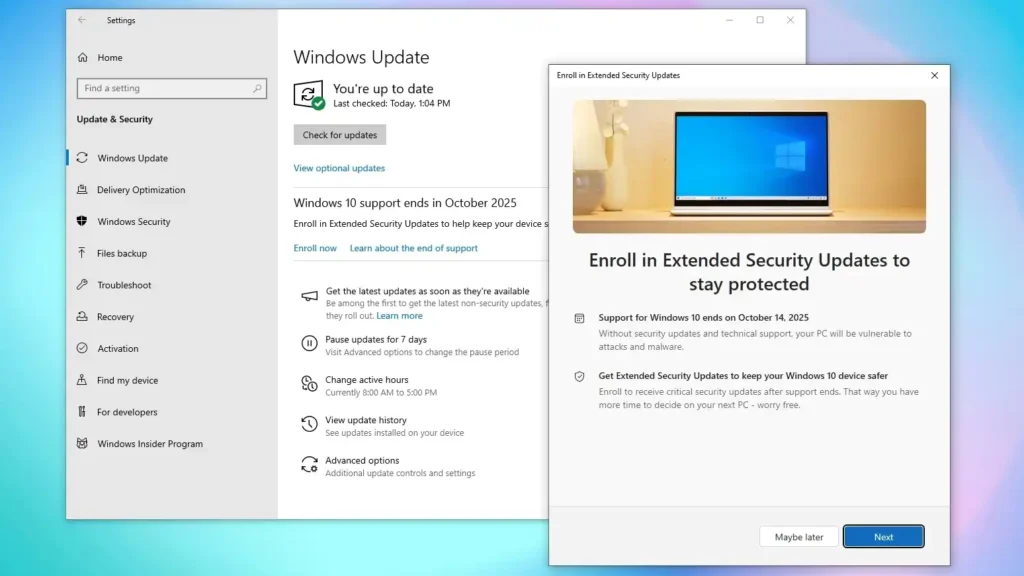
Can your computer be upgraded? Most computers made in the last five-seven years are capable of running Windows 11. However, some need a little help to meet Microsoft’s strict minimum hardware requirements – such as a compatible 64-bit processor, UEFI firmware with Secure Boot enabled, and a Trusted Platform Module (TPM) version 2.0. Often, failing these checks just means we need to enable certain security features in your BIOS or perform firmware updates. You can download WhyNotWin11 app to see exactly why your device is failing the check.
(Note: If your computer originally shipped with Windows 7 or 8, it is likely over a decade old, and we highly recommend replacing it.)
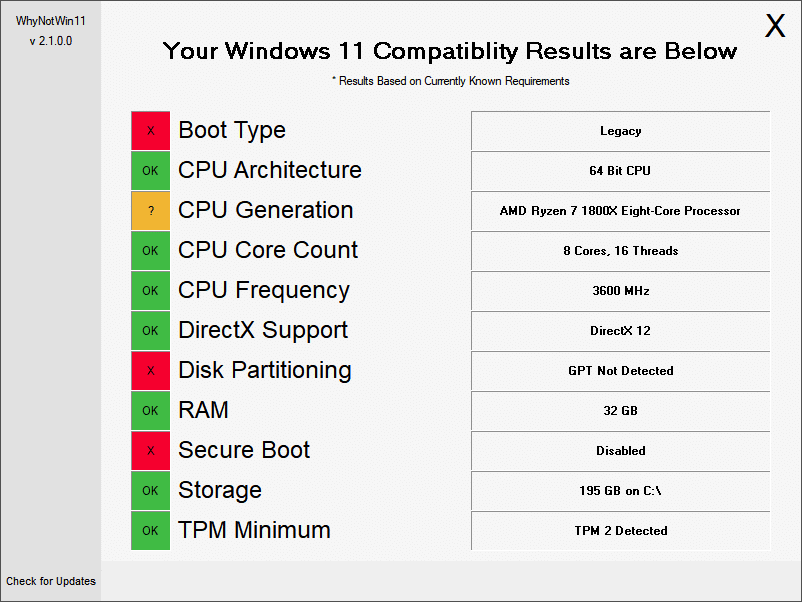
The “Unofficial” Windows 11 Upgrade Did you notice how Microsoft dictates what can run Windows 11 officially? For people on a strict budget, we have successfully installed Windows 11 on older machines that fall outside Microsoft’s recommended specifications, even on computers over 10 years old! While these systems won’t have all the latest hardware-level security features enabled, it is often a much better option than sending a functional computer to the landfill.
Getting this done requires a full computer backup, a clean reinstall of Windows 11, and restoring your data, accounts, and settings. It is a lot of work, but your computer will run significantly better once it is finished! Bring your device to our workshop, and we can assess the best path forward for your hardware.
Why Choose Fix My Laptop
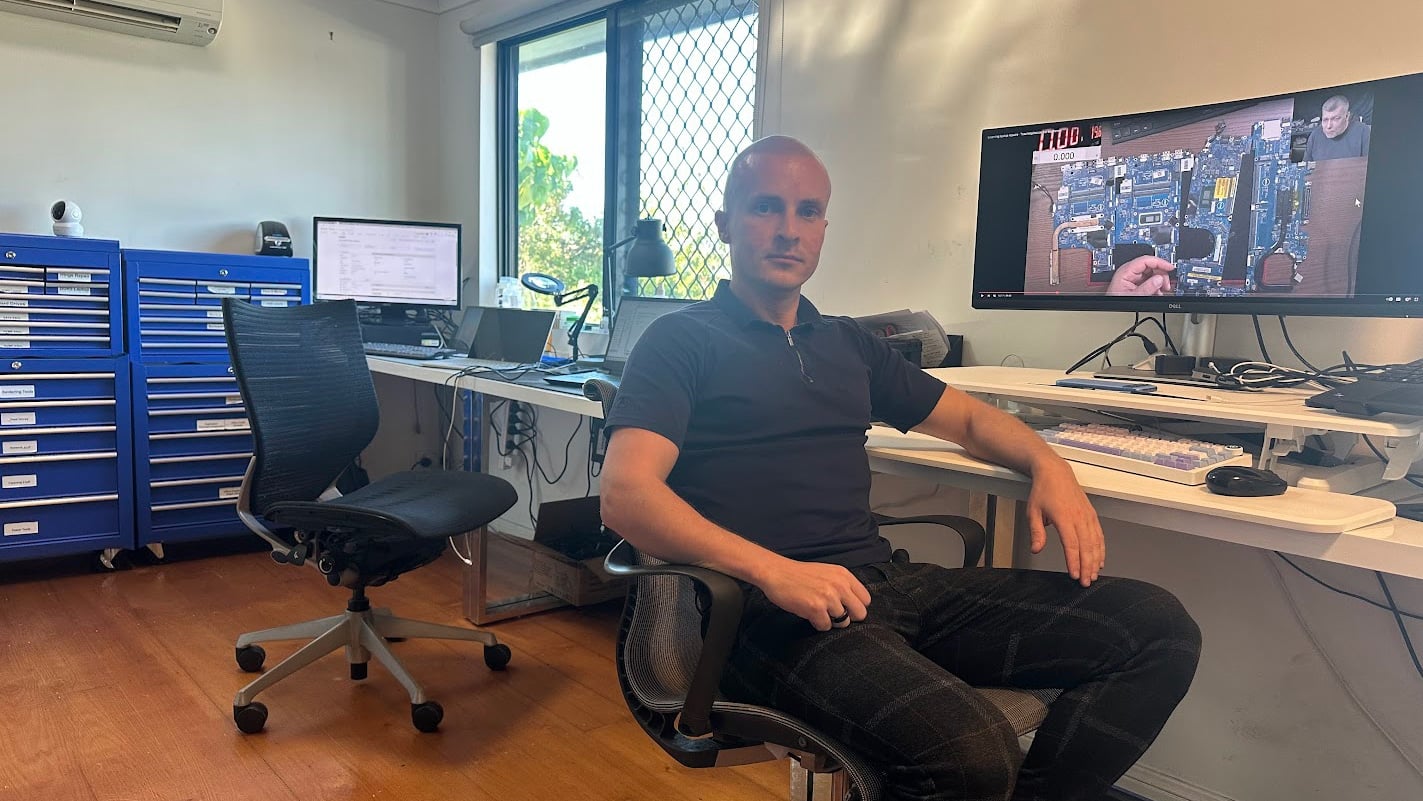
Computer issues are frequently misdiagnosed. We test system health and review logs to ensure a clear diagnosis before recommending any repair. We keep your data safe wherever possible, offer fast turnarounds for Windows 10 and 11 systems, and only recommend reinstalling software when it is absolutely necessary.

Windows Issues Repair Cost
Pricing depends on the issue, system condition, and work required.
Pricing depends on the issue, system condition, and time required to resolve it. Simple fixes like software cleanup or update errors sit at the lower end, while deeper system corruption or data-related work may take longer.
Because every Windows issue behaves differently, we typically bill for the time spent. We will let you know if troubleshooting efforts are exhausted.
Bring your computer in or contact us for an estimate.
Typical Price Range
$150 – $350
Basic fixes sit at the lower end, while complex repairs fall toward the higher range.
Our Repair Process
A simple process from drop off to working device.
Before You Visit
If you still can, back up your computer. If you can’t, bring your hard drive (or buy one from us) and we will help you back it up
Appointment
If you need our help at the time of the visit, call and schedule an appointment. If you can wait, you are welcome to bring your computer and leave it with us
Repair Timeline
Every issue is different. Typically, we spend about an hour on troubleshooting. If that fails, it’s easier to reinstall and restore your data.
After The Repair
We can help you set up cloud accounts and full computer backups, so in case something happens, you never get to lose your data.
Come to Our Clayfield Workshop, Parking On-Site
Fix My Laptop is conveniently based in Clayfield, providing fast and quality repairs for customers across Brisbane Northside.
Most hardware problems require proper testing, the majority of our customers visit our workshop for hands-on diagnostics, repairs, and data recovery.
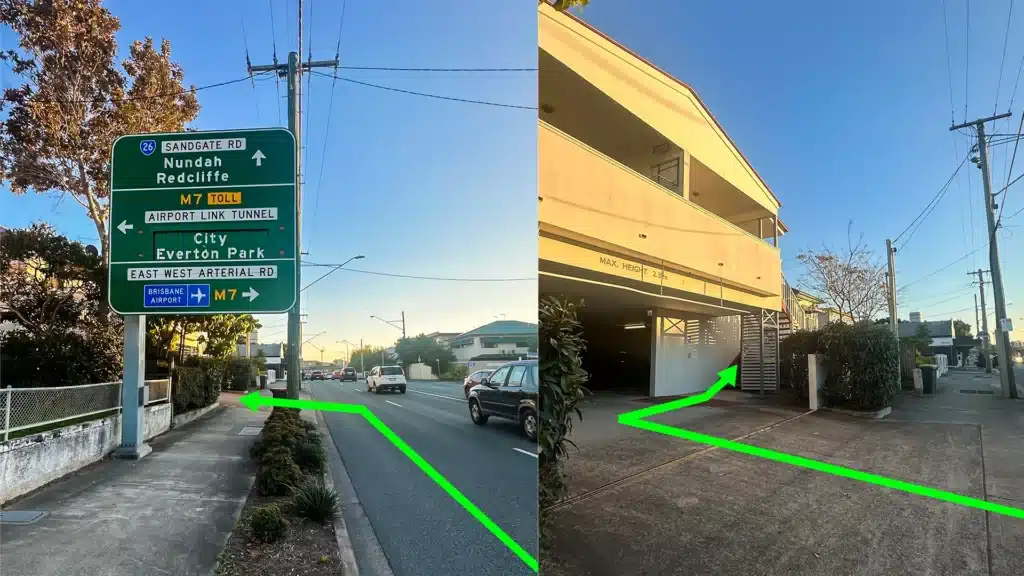
Our address is 2/890 Sandgate Road, Clayfield, QLD 4011
Easy visitor parking available on-site! Turn left into the units right after the Airport Link sign. Please use the guest parking spots. If not available, you can use parking on Kedron Street.
| Monday | 10:00 AM — 6:00 PM |
| Tuesday | 8:00 AM — 6:00 PM |
| Wednesday | 10:00 AM — 6:00 PM |
| Thursday | 8:00 AM — 6:00 PM |
| Friday | 10:00 AM — 4:00 PM |
| Saturday | 10:00 AM — 4:00 PM |
| Sunday | Closed |
See our updated hours on Google Maps before visiting. Appointments are preferred to ensure service on time.
Related Repairs

Hardware Repair
Did the manufacturer tell you the motherboard or logic board is faulty and you need to buy a brand new device? We specialize in component-level hardware repairs for desktops, laptops, and MacBooks.

Virus and Malware Removal
Is your computer running slow, showing pop-ups, or acting strangely? Malware infections can compromise your data, performance, and privacy if left unchecked. We remove infections properly rather than just hiding the symptoms.
Data Recovery
Data loss is a nightmare, and unfortunately, it is usually a question of when, not if. We recover data from broken computers, failing hard drives, solid-state drives (SSDs), USB sticks, and SD cards safely, offering honest advice and realistic expectations.