Skip to content
Fix My Laptop Logo
07 3857 6875
  • Laptop RepairExpand
    • Screen Repair
    • Battery Replacement
    • Ports Repair
    • Keyboard Repair
    • Hinges Repair
    • Liquid Damage
  • MacBook RepairExpand
    • Screen Repair
    • Battery Replacement
  • Computer RepairExpand
    • Hardware Repair
    • Windows Issues
    • Virus Removal
  • Computers & AccessoriesExpand
    • Refurbished PCs
    • Chargers
    • Storage
  • UpgradesExpand
    • SSD Upgrade
    • RAM Upgrade
    • Wi-Fi Upgrade
  • Data & BackupExpand
    • Data Recovery
    • Backup Solutions
    • Cloud Backup
    • Data Transfer & Setup
  • IT SupportExpand
    • Microsoft 365
    • Business IT Support
    • On-Site IT Support
    • Remote IT Support
    • Emergency IT Support
  • Tech Tips
Fix My Laptop Logo
07 3857 6875

Computer Repair Brisbane

We fix slow computers, Windows errors, hardware faults, startup problems, virus infections, and desktop PCs that no longer work properly.

Visit Workshop
Call Technician

What’s Wrong With Your Computer?

Most people search by the problem they are experiencing, not the technical name of the service. Start with the symptom below, and we will test the likely cause before recommending a repair, upgrade, reinstall, or replacement. 

Hardware faults

No power, unexpected shutdowns, overheating, strange noises, or a completely dead system usually point to underlying hardware problems. This can range from a failing power supply to a faulty motherboard.

Windows not working

Boot loops, blue screens, regular update failures, and missing profile errors require a proper Windows diagnosis before we attempt a repair or reinstallation of the operating system.

Virus or malware

Endless pop-ups, browser redirects, fake warnings, or suspicious background activity mean unwanted software has compromised your system. We perform thorough removals to secure your machine.

Computer running slow

If everything takes too long to load, your computer needs attention. Slow speeds are often caused by failing mechanical hard drives or SSDs, bloated software, or aging components struggling with modern software.

Computer needs upgrading

Older desktop PCs often benefit significantly from targeted upgrades. SSD installations, RAM upgrades, or storage changes can extend the life of your computer for years.

Files or backups needed

Failing drives, older computers, and negligence can put your important files at unnecessary risk. We handle data recovery and help set up reliable backup solutions. 

Computer Repairs We Handle in Brisbane

Fix My Laptop repairs common desktop, laptop, and All-in-One computer problems from our Clayfield workshop. When your computer stops working, we believe in a straightforward approach: we test the fault first, explain your repair options clearly, and avoid replacing parts blindly. Even though laptops are in our name, we handle everything from custom-built desktop rigs to standard home PCs. We provide the honest advice you need to get back up and running without wasting money. 

Visit Us in Clayfield
Call Technician
Motherboard, CPU, graphics card

Hardware Repairs

We diagnose faulty drives, RAM, power issues, overheating, damaged ports, noisy fans, and failed components.

Repair Computer Hardware
Windows-loading-slowly

Software Repair

We fix startup errors, update failures, blue screens, corrupted files, profile issues, and unstable Windows systems.

Fix Windows & Software Issues
Virus & Malware Removal

Virus & Malware Removal

We remove malware, unwanted software, fake warnings, browser hijacks, and suspicious programs safely.

Remove Viruses & Malware

When Diagnosis Matters

Sergey, lead technician at Fix My Laptop Clayfield workshop, Brisbane.

Computer problems often look simple from the outside, but the correct fix rarely is. A slow PC might need an SSD upgrade, RAM upgrade, Windows repair, malware removal, or a failing drive replaced. A desktop that won’t turn on might have a dead power supply, a damaged motherboard, or a corrupted Windows installation. 

That is why we test the computer before recommending parts or reinstalling Windows. 

Proper diagnosis helps avoid wasted money, protects your personal files, and gives you a clear, informed choice between repair, upgrade, or replacement. 

Straight Advice Before Expensive Repairs
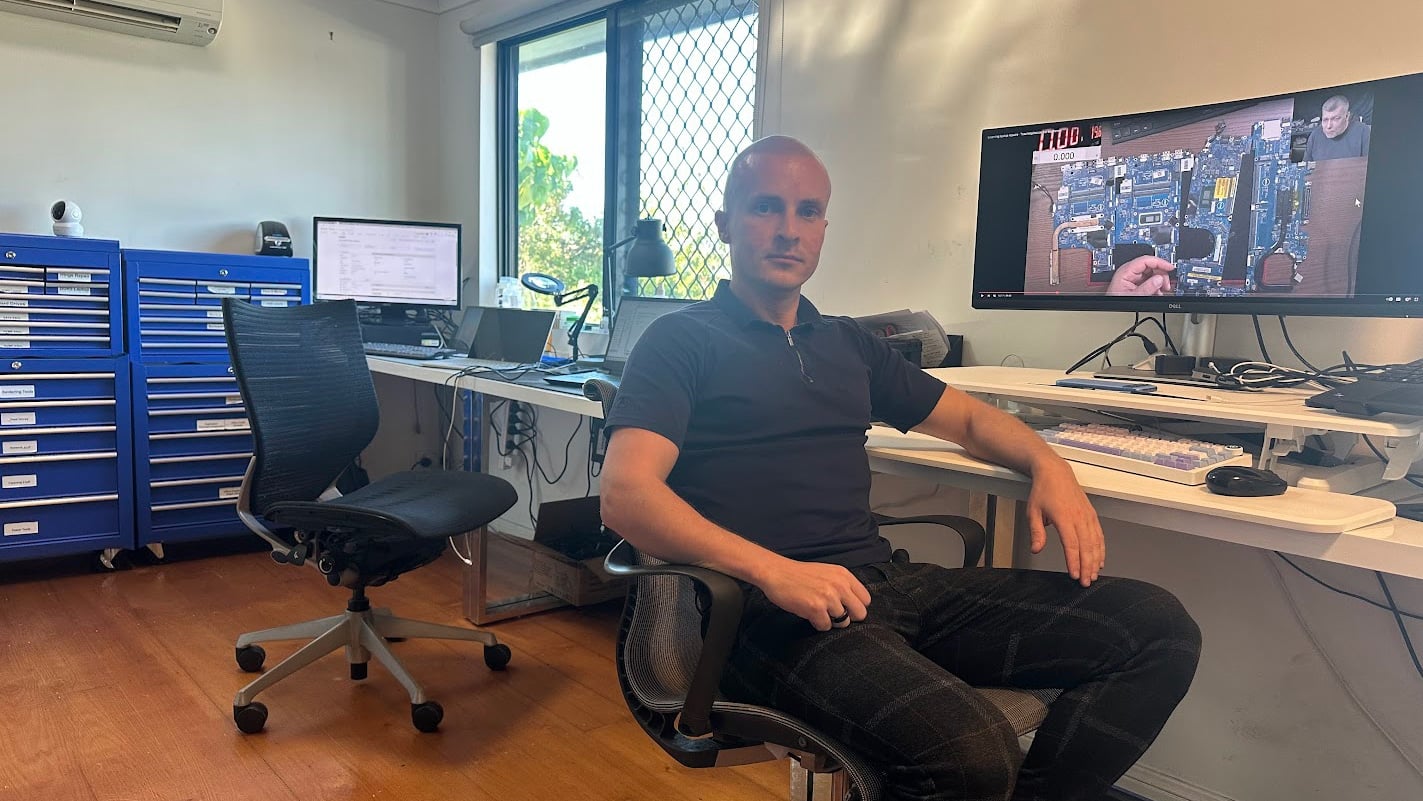
Sergey-Fix-My-Laptop-Workshop

Your device is checked by an experienced technician who will explain the likely fault, the exact repair options, and whether the computer is actually still worth fixing. Some computers need a simple repair or a sensible upgrade. Others should be replaced before they cost you more than they are worth. 

Local Clayfield Workshop

Bring your desktop, laptop, or All-in-One computer to our workshop for secure diagnosis and repair. 

Diagnosis Before Parts

We test the fault to confirm the issue before recommending repairs, upgrades, or data recovery.

Practical Repair Advice

We factor in the computer’s age, condition, repair cost, performance, and current replacement options before advising you. 

Home & Business Help

We support home users, students, remote workers, and small businesses with practical IT problem-solving.

Computer Repair in Clayfield and Brisbane Northside

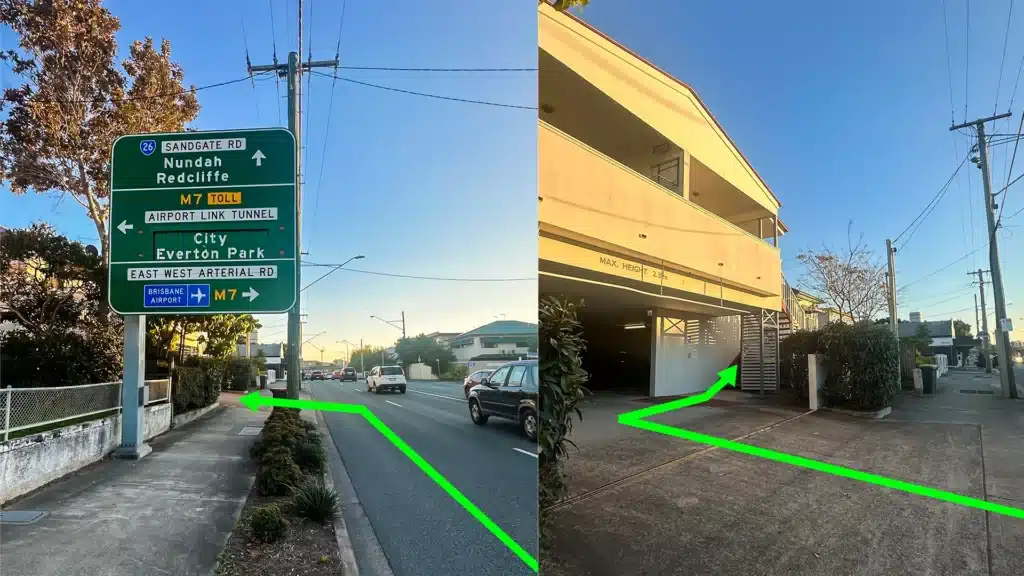
Fix My Laptop location Clayfield

Fix My Laptop is located on Sandgate Road in Clayfield, regularly helping customers from Ascot, Hendra, Albion, Nundah, Kedron, Chermside, Wooloowin, Hamilton, and nearby Brisbane Northside suburbs.

Most desktop hardware repairs, major upgrades, virus removals, and data recovery jobs are best handled in the workshop because the device needs parts, tools and proper, uninterrupted testing.

Visit Us Today: 2/890 Sandgate Road, Clayfield, QLD 4011

(Open Monday to Saturday. Please check our updated hours on Google Maps before visiting). 

Visit Us in Clayfield

Frequently Asked Questions

Many common repairs take 1 to 3 business days. This depends entirely on the fault, our current workload, whether parts need to be ordered, and the amount of testing required.

No. If you are bringing in a desktop tower, you only need to bring the tower itself. We have the necessary power cables, monitors, keyboards, and mice in our workshop. If you are bringing an All-in-One computer, please bring its specific power adapter.

Yes. We test the computer to find out exactly why it is slow whether it’s a failing hard drive, insufficient RAM, or software issues and quote you on the best solution to get it running quickly again.

We do. We repair All-in-One systems from major brands including HP, Lenovo, Dell, and Apple.

Yes, we diagnose and repair custom-built PCs, but we are straightforward about what is actually worth fixing. Gaming technology moves quickly, and constant high heat takes a toll on components over time. Because of this, certain repairs can be uneconomical. For example, specific older motherboards can be very difficult to re-order, and due to the low frequency of these exact repairs, we do not keep them in stock. We will test your components to isolate the exact fault and give you an honest assessment of whether it makes financial sense to repair the system or if it is time to upgrade.

We do this all the time. If you have purchased a new graphics card, motherboard, or case and hit a roadblock during installation, bring it in. We can install your supplied parts, ensure the cabling is tidy, and stress-test the system to make sure everything runs correctly. Keep in mind, we won’t provide any warranty for those parts.

Yes. Desktop computers pull in a lot of dust over time, which clogs heatsinks and causes the system to overheat and throttle performance. We can perform a thorough clean, replace dried-out thermal paste on the CPU, and check or upgrade your cooling fans to get it running quietly again.

Data preservation is always our priority. Unless your hard drive has already completely failed, we aim to protect your files. If a repair requires reinstalling Windows or replacing a storage drive, we will discuss data backup and recovery options with you before proceeding.

That depends on the age of your machine and the cost of the repair. We will give you an honest assessment. If fixing your current desktop costs nearly as much as buying a new, faster one, we will advise you to replace it.

Need Computer Repair in Brisbane?

Visit our Clayfield workshop for clear diagnosis, practical repair options, and honest advice before spending money on parts or replacement.

Visit Workshop
Call Technician

Prefer an Online Quote?

For simple laptop repairs, we can provide a clear quote based on the details you submit.

For more complex problems or personalised laptop support, it’s best to bring your device in.

2/890 Sandgate Road, Clayfield

07 3857 6875

0403 100 701

service@fixmylaptop.au

Fix-My-Laptop-Logo-Ftr

service@fixmylaptop.au

(07) 3857 6875

0403 100 701

2/890 Sandgate Road, Clayfield QLD 4011

Book Repair Online

BUSINESS HOURS

Monday10:00 AM — 6:00 PM
Tuesday8:00 AM — 6:00 PM
Wednesday10:00 AM — 6:00 PM
Thursday8:00 AM — 6:00 PM
Friday10:00 AM — 4:00 PM
Saturday10:00 AM — 4:00 PM
SundayClosed

Updated hours are always available on Google Maps

JOIN OUR NEWSLETTER

Be the first one to know of our Tech Savvy tips and exclusive offers!

© 2026 Fix My Laptop Brisbane

Terms and Conditions

Privacy Policy

Facebook X Linkedin
Scroll to top
  • Laptop Repair
    • Screen Replacement
    • Battery Replacement
    • Charging Port Repair
    • Keyboard Replacement
    • Laptop Hinges Repair
    • Liquid Damage Repair
  • MacBook Repair
    • Screen Repair
    • Battery Replacement
  • Computer Repair
    • Hardware Repair
    • Windows Repair
    • Virus & Malware Removal
  • Refurbished & Accessories
    • Refurbished Computers
    • Laptop Chargers
    • Storage Devices
  • Upgrades
    • SSD Upgrade
    • RAM Upgrade
    • Mesh Wi-Fi Systems
  • Data & Backup
    • Data Recovery
    • Backup Solutions
    • Cloud Backup
    • Data Transfer & Setup
  • IT Solutions
    • Microsoft 365 Solutions
    • Business IT Support
    • On-site Support
    • Remote Support
    • Emergency Support
  • Tech Tips
  • Request a Quote