Skip to content
Fix My Laptop Logo
07 3857 6875
  • Laptop RepairExpand
    • Screen Repair
    • Battery Replacement
    • Ports Repair
    • Keyboard Repair
    • Hinges Repair
    • Liquid Damage
  • MacBook RepairExpand
    • Screen Repair
    • Battery Replacement
  • Computer RepairExpand
    • Hardware Repair
    • Windows Issues
    • Virus Removal
  • Computers & AccessoriesExpand
    • Refurbished PCs
    • Chargers
    • Storage
  • UpgradesExpand
    • SSD Upgrade
    • RAM Upgrade
    • Wi-Fi Upgrade
  • Data & BackupExpand
    • Data Recovery
    • Backup Solutions
    • Cloud Backup
    • Data Transfer & Setup
  • IT SupportExpand
    • Microsoft 365
    • Business IT Support
    • On-Site IT Support
    • Remote IT Support
    • Emergency IT Support
  • Tech Tips
Fix My Laptop Logo
07 3857 6875

Laptop Repair Brisbane

We repair laptop screen issues, battery faults, charging problems, broken hinges, keyboard faults, overheating, liquid damage, and laptops that will not start.

Visit Workshop
Call Technician

What’s wrong with your laptop?

Most people search by the problem, not the repair name. Start with the symptom and we will test the likely cause before recommending parts, upgrades, or replacement.

Laptop screen issues

Cracked, flickering, dim, or black screens usually need display testing before replacement is recommended.

Battery not holding charge

Short runtime, sudden shutdowns, or swelling usually means the battery needs testing before replacement.

Charging port problems

If the charger only works at an angle, disconnects easily, or the laptop will not charge, the fault may be the charger, port, battery, or board.

Keyboard not working

Sticky keys, missing keys, liquid damage, or a keyboard that stops responding may need cleaning, repair, or full keyboard replacement.

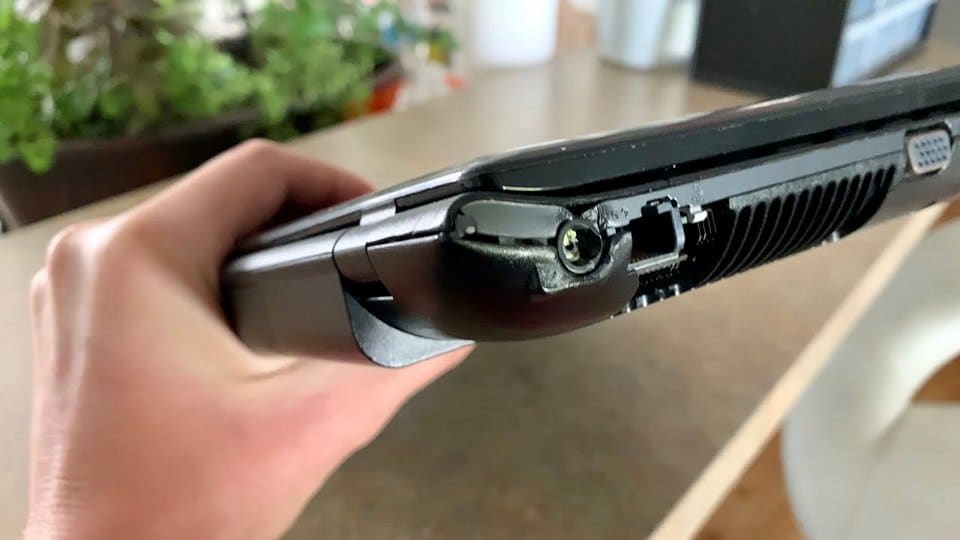
Broken hinges or frame

Loose hinges, cracked corners, lifting bezels, and cases pulling apart can get worse quickly and may damage the screen if ignored.

Laptop not starting

No power, black screen, boot loops, sudden shutdowns, and failed startup can come from power, storage, motherboard, or Windows issues.

Laptop Repairs We Handle in Brisbane

Fix My Laptop repairs common laptop faults in our Clayfield workshop. We test the device first, explain what is worth repairing, and avoid replacing parts blindly because apparently guessing is still a business model.

Visit Us in Clayfield
Call Technician
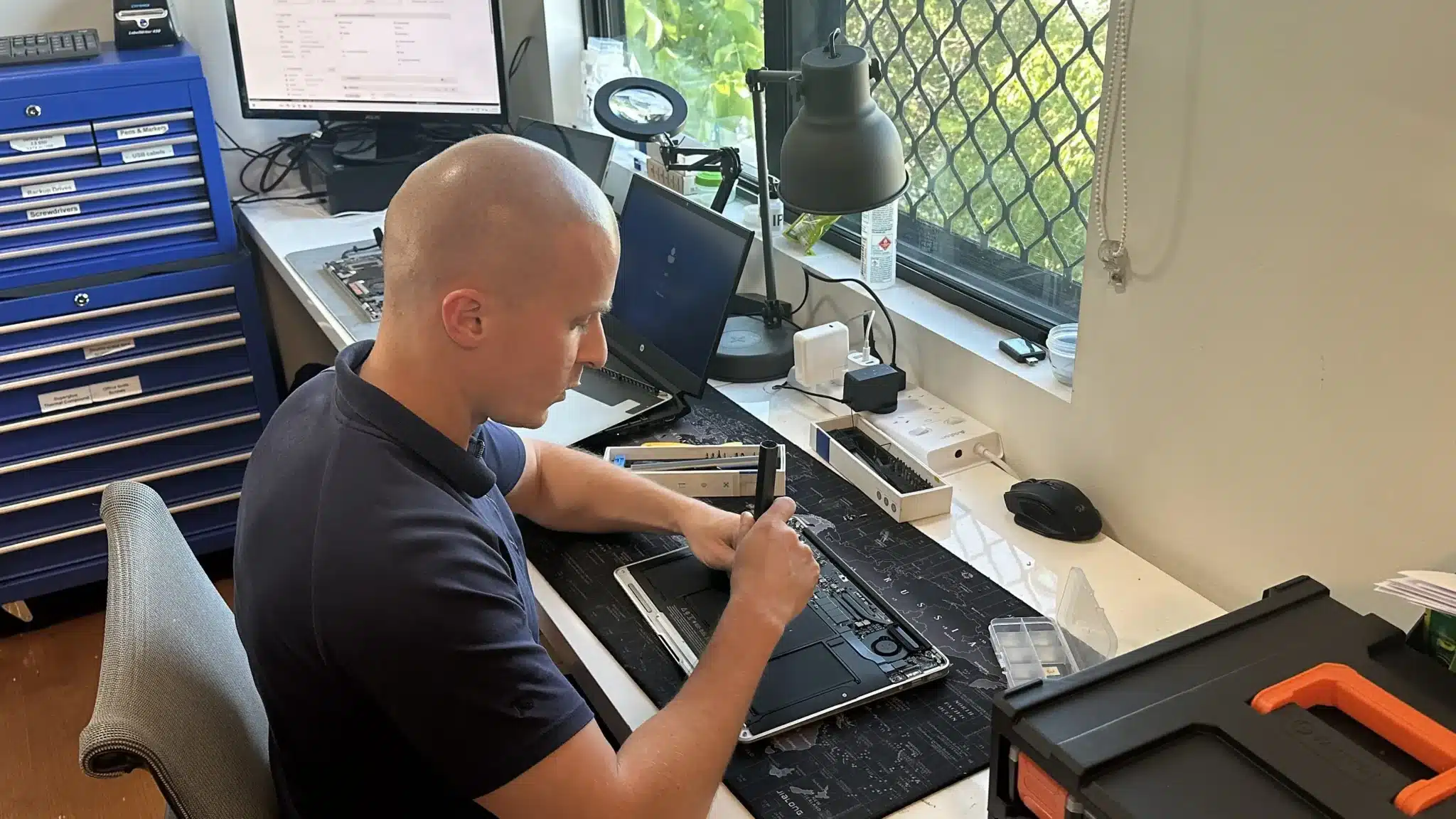
Close up of technician hands performing delicate laptop hardware repair at Fix My Laptop.

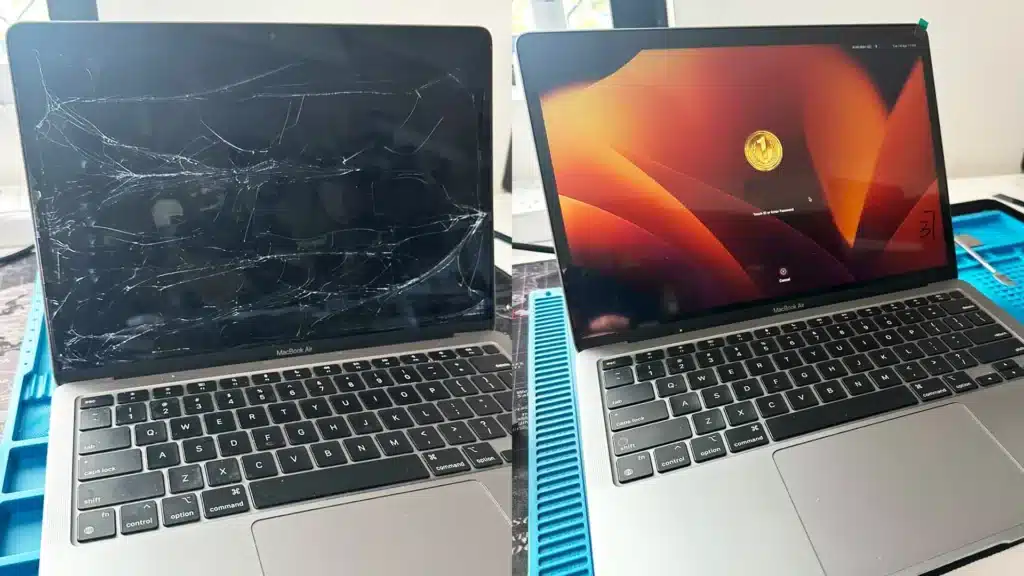
Screen Replacement

We replace cracked, flickering, dim, or failed laptop screens using compatible panels for suitable models.

Fix Laptop Screen
laptop-battery-replacement-brisbane-workshop

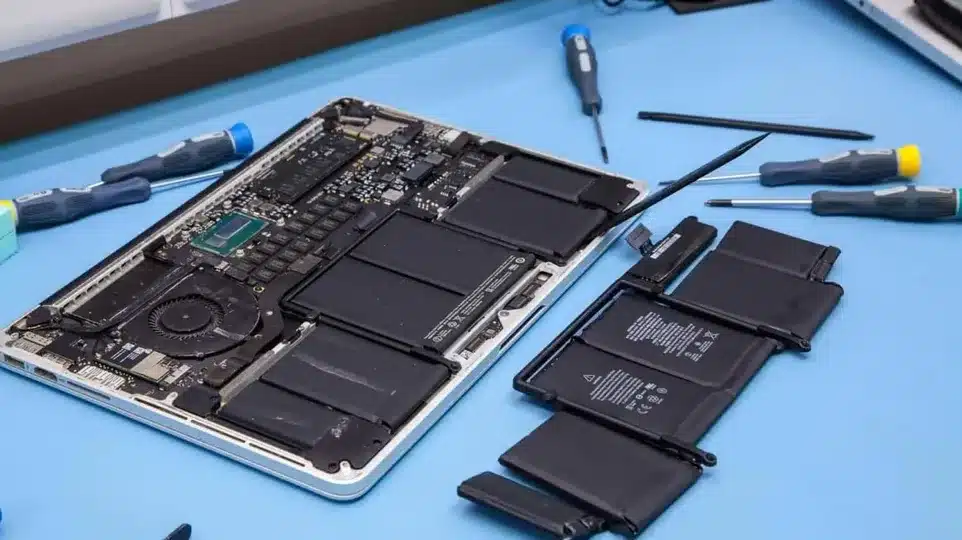
Battery Replacement

We replace weak, swollen, or unreliable laptop batteries after checking battery health and model compatibility.
Replace Laptop Battery
Broken laptop charging port

Charging Port Repair

We fix DC jacks and USB-C faults with precise charging port repair in Brisbane to restore consistent power.

Fix Charging Port
laptop-keyboard-replacement-brisbane-workshop

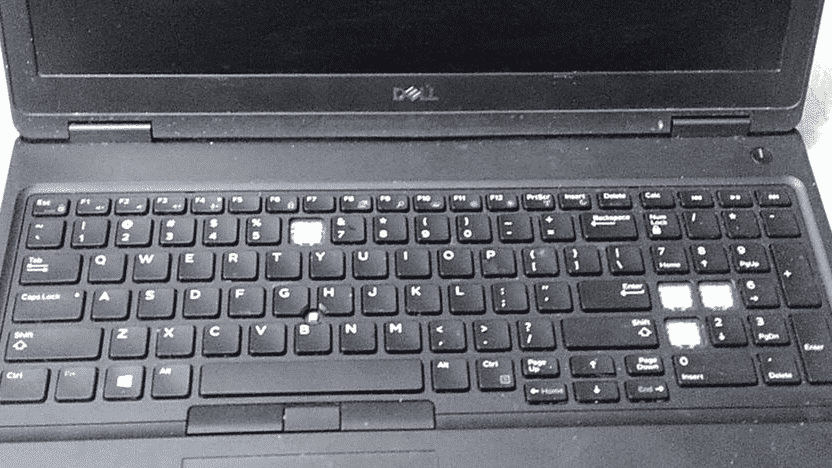
Keyboard Replacement

We perform laptop keyboard replacement in Brisbane using high-quality parts for smooth and reliable typing.

Replace Laptop Keyboard
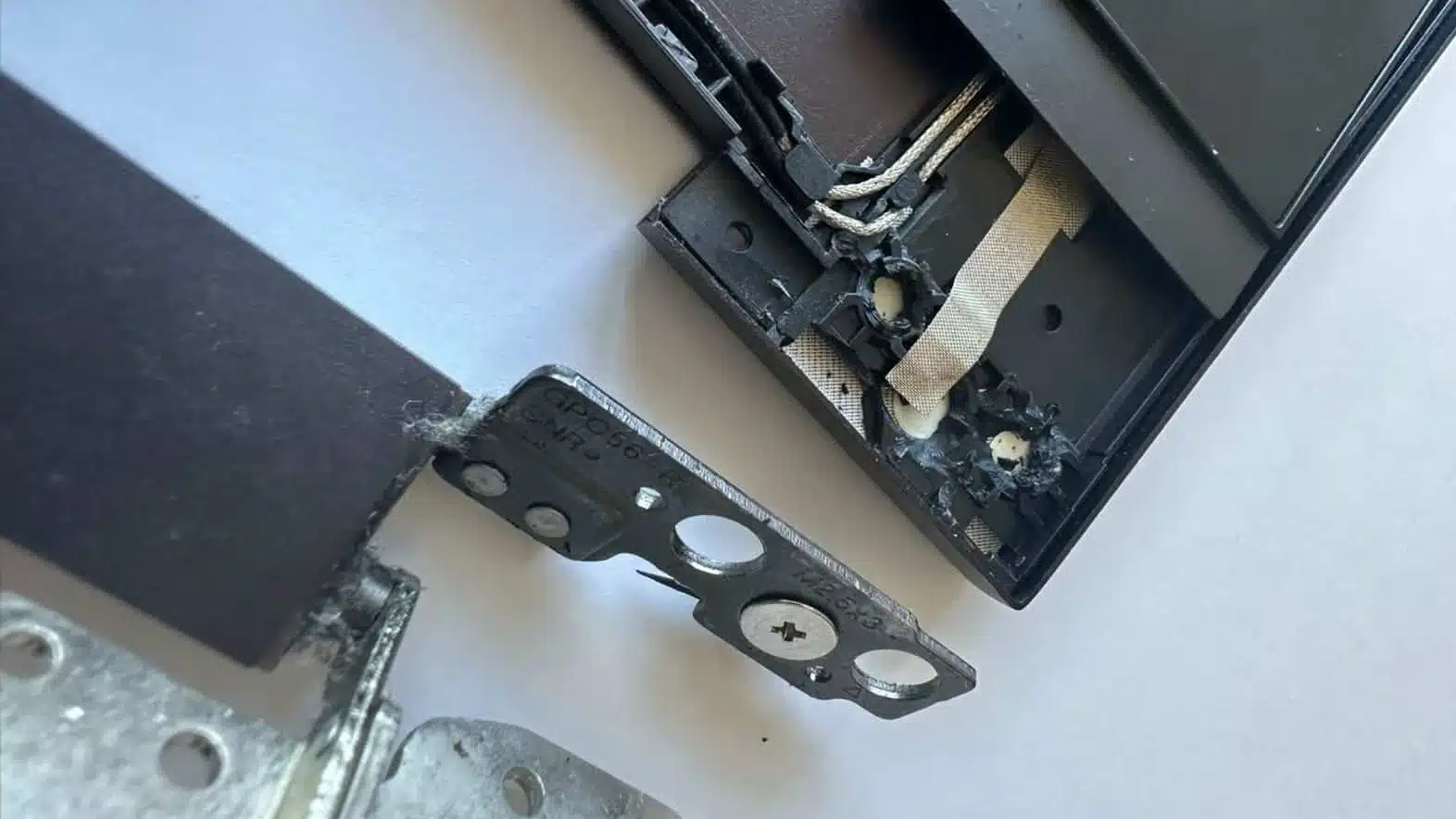
Detailed view of a structural hinge repair using reinforced metal plates and screws inside a laptop casing

Hinge & Frame Repair

Our laptop hinge repair in Brisbane reinforces damaged frames and prevents further internal damage.

Fix Laptop Hinges
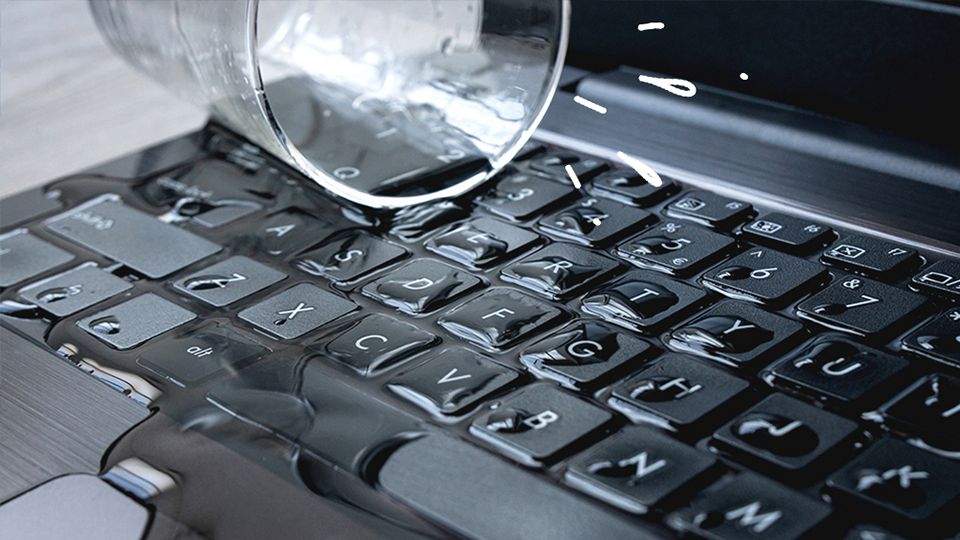
Laptop liquid or water damage

Liquid Damage Repair

We assess and repair internal faults with laptop liquid damage repair in Brisbane to recover function and protect your data.

Fix Liquid Damage

Diagnosis Before You Spend a Dime

Sergey, lead technician at Fix My Laptop Clayfield workshop, Brisbane.

Some laptop faults look simple but have multiple causes. We test your device first so we can give you straight advice on whether a repair, upgrade, or replacement makes the most financial sense.

Fix My Laptop is a local laptop and computer repair workshop in Clayfield. Your repair is assessed by a technician who can explain the likely fault, repair options, parts availability, and whether the device is still worth fixing. Some laptops are worth repairing. Some are better upgraded. And, some should be replaced before they become a money pit with a keyboard.

Common Brands We Repair

APPLE LOGO

Apple MacBooks

Models: MacBook Pro, MacBook Air, MacBook Neo

MacBooks are premium machines, but they aren’t immune to cracked Retina displays, failing batteries, or liquid damage. We provide specialized component-level diagnostics and reliable repairs for Apple laptops without the Apple Store price tag.

DELL LOGO

Dell Laptops

Models: XPS, Inspiron, Latitude, Alienware, Precision, Pro & Plus

From heavy-duty Alienware gaming rigs to ultra-thin XPS models and business-grade Latitudes. We regularly stock replacement Dell batteries, screens, and high capacity SSDs for fast turnarounds.

HP LOGO

HP Laptops

Models: Spectre, Envy, Pavilion, EliteBook, ProBook, Omen 

Cheaper HP laptops often suffer from specific structural issues, like broken hinges pulling away from the frame and swollen batteries. We reinforce damaged casings, replace worn-out keyboards, and revive dead HP motherboards.

LENOVO LOGO

Lenovo Laptops

Models: ThinkPad, IdeaPad, Yoga, Legion, LOQ, Slim Series

Whether you have a ThinkPad that needs a new battery, a Yoga with a cracked touchscreen, or a Legion gaming laptop overheating, we have the parts and expertise to get your Lenovo back to working condition

MICROSOFT LOGO

Microsoft Surface

Models: Surface Pro, Surface Laptop, Surface Book

Surface devices are notorious for being heavily glued together, making hardware repairs difficult and often uneconomical. While physical part replacements aren’t recommended, we specialize in rescuing your critical data and photos when a Surface stops turning on. 

ASUS LOGO

Asus Laptops

Models: ROG, TUF, ZenBook, VivoBook, ExpertBook 

We frequently see high-performance ASUS gaming laptops suffering from power delivery failures and severe overheating. We offer targeted motherboard diagnostics, thermal repasting, and deep cleaning to stop your system from thermal throttling or shutting down. 

ACER LOGO

Acer Laptops

Models: Predator, Swift, Aspire, Nitro

Acer offers great budget performance, but their lightweight plastic chassis are highly prone to hinge failures and case cracking over time. Because finding quality replacement parts for older Acers can be difficult, we will always give you a straight answer on whether it’s actually worth repairing. 

LEADER-WHITE

Leader Laptops

Models: Companion, Vision 

While less common than the major international brands, we regularly help local businesses and home users with their Leader devices. If you have suffered a drop or impact, we can test the display and source compatible replacement panels for cracked screens. 

RAZER-WHITE
GIGABYTE-WHITE

Premium Gaming

(Razer & Gigabyte) 

Models: Blade, AORUS, Aero 

These high-end gaming laptops pack incredible hardware into thin cases, which often leads to swollen batteries and failing cooling fans. We can safely remove dangerous expanding batteries, diagnose charging faults, and source specialized replacement parts. 

TOSHIBA-WHITE
SONY LOGO
SAMSUNG-WHITE

Legacy Brands

(Toshiba, Sony, Samsung) 

Models: Satellite, VAIO, ATIV

Still holding onto an obsolete Toshiba Satellite or Sony VAIO from a decade ago? While new hardware parts are no longer manufactured for these retired machines, we can safely extract your old photos, documents, and data before you finally recycle them. 

How Our Laptop Repair Works

The process is simple. Bring the laptop in, let us test it, then decide based on the diagnosis instead of panic-buying a new computer at a shopping centre. Society may yet survive.

STEP 1
Drop-off

Visit our workshop or call to discuss your issue. We perform a quick initial assessment and book your device for laptop repair in Brisbane.

STEP 2
Diagnostic & Quote

We identify the fault and explain your options clearly. You receive a transparent quote before any computer repair in Brisbane begins.

STEP 3
Repair & Pickup

Once approved, we complete the repair using quality parts. Your device is tested and ready for collection with reliable performance.

Laptop Repair in Clayfield and Brisbane Northside

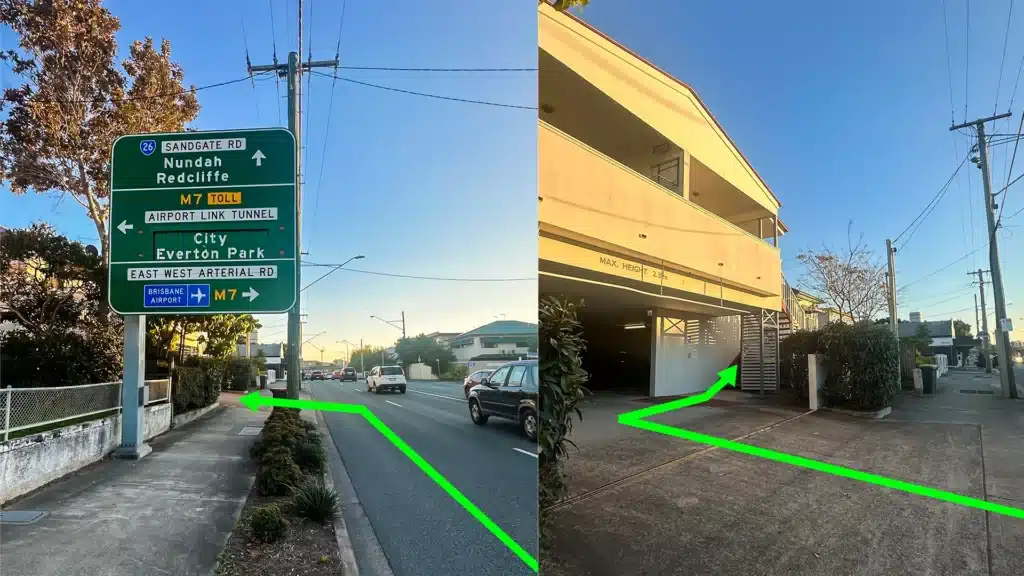
Fix My Laptop location Clayfield

Fix My Laptop is located on Sandgate Road in Clayfield, helping customers from Ascot, Hendra, Albion, Nundah, Kedron, Chermside, Wooloowin, Hamilton and nearby Brisbane Northside suburbs. Most hardware repairs are best handled in the workshop because screens, batteries, ports, hinges, keyboards, and liquid damage need proper testing.

Visit Us Today: 2/890 Sandgate Road, Clayfield, QLD 4011

Open Monday to Saturday. See our updated hours on Google Maps before visiting.

Visit Us in Clayfield

Frequently Asked Questions

If we have the required part in stock at our Clayfield workshop, we can often complete the repair the same or next day. If your laptop requires a specialized or rare component that we have to order in, it typically takes a few business days from Australian suppliers or weeks from overseas. The best part? You can usually take your laptop back home to use in the meantime while we wait for the delivery. 

For straightforward jobs like a broken screen or a dead battery, we can often give you a highly accurate estimate over the phone if you have your exact model number. However, if your laptop is completely dead, randomly shutting down, or suffering from liquid damage, we need to physically test it in our Clayfield workshop before providing a quote. 

Yes. We regularly handle MacBook screen replacements, swollen battery removals, startup and update issues, and MacBooks that don’t turn on. We provide specialized, component-level diagnostics without the premium Apple Store price tag.

We will tell you straight. We look at the laptop’s age, replacement value, and the cost of the parts. If a repair is going to cost more than the machine is worth, or if replacing it makes more financial sense, we’ll advise against the repair and help you securely transfer your data to a new or refurbished device instead.

Unplug the charger immediately and hold down the power button to force it to shut down. Do not turn it back on to “see if it still works” – running electricity through a wet motherboard is what causes permanent short circuits. Do not put it in rice (it doesn’t work and gets dust inside the ports). Bring it to the workshop as soon as possible for professional cleaning and a liquid damage assessment.

Yes, please! Especially if you are experiencing power, battery, or startup issues. Sometimes the laptop itself is perfectly fine, and the power brick or cable is actually the culprit. We have the most common chargers in stock too.

Broken hinges are incredibly common, especially on cheap plastic models (looking at you, Lenovo and HP!). If caught early, we can often repair or reinforce the damaged internal plastics and replace the hinges. If ignored, the loose hinge can snap the screen cable or crack the display, turning a structural fix into an expensive screen replacement.

If we are simply replacing a screen, battery, or keyboard, your hard drive remains completely untouched. However, we always strongly recommend backing up your data before bringing any device in for repair. If your laptop is completely dead, our first priority is rescuing your files.

We generally do not install customer-supplied parts. We only use high-quality components from trusted suppliers that we can confidently attach our workshop warranty to. Cheap internet parts often fail out of the box, which creates a frustrating experience for everyone.

Not necessarily! Laptops constantly pull in dust, which clogs the internal heatsink and dries out the thermal paste over time. A deep internal clean and a fresh application of high-quality thermal paste usually stops the overheating and makes it run quietly again.

Need Laptop Repair in Brisbane?

Visit our Clayfield workshop for clear diagnosis, practical repair options, and honest advice before spending money on parts or replacement.

Visit Workshop
Call Technician

Prefer an Online Quote?

For simple laptop repairs, we can provide a clear quote based on the details you submit.

For more complex problems or personalised laptop support, it’s best to bring your device in.

2/890 Sandgate Road, Clayfield

07 3857 6875

0403 100 701

service@fixmylaptop.au

Fix-My-Laptop-Logo-Ftr

service@fixmylaptop.au

(07) 3857 6875

0403 100 701

2/890 Sandgate Road, Clayfield QLD 4011

Book Repair Online

BUSINESS HOURS

Monday10:00 AM — 6:00 PM
Tuesday8:00 AM — 6:00 PM
Wednesday10:00 AM — 6:00 PM
Thursday8:00 AM — 6:00 PM
Friday10:00 AM — 4:00 PM
Saturday10:00 AM — 4:00 PM
SundayClosed

Updated hours are always available on Google Maps

JOIN OUR NEWSLETTER

Be the first one to know of our Tech Savvy tips and exclusive offers!

© 2026 Fix My Laptop Brisbane

Terms and Conditions

Privacy Policy

Facebook X Linkedin
Scroll to top
  • Laptop Repair
    • Screen Replacement
    • Battery Replacement
    • Charging Port Repair
    • Keyboard Replacement
    • Laptop Hinges Repair
    • Liquid Damage Repair
  • MacBook Repair
    • Screen Repair
    • Battery Replacement
  • Computer Repair
    • Hardware Repair
    • Windows Repair
    • Virus & Malware Removal
  • Refurbished & Accessories
    • Refurbished Computers
    • Laptop Chargers
    • Storage Devices
  • Upgrades
    • SSD Upgrade
    • RAM Upgrade
    • Mesh Wi-Fi Systems
  • Data & Backup
    • Data Recovery
    • Backup Solutions
    • Cloud Backup
    • Data Transfer & Setup
  • IT Solutions
    • Microsoft 365 Solutions
    • Business IT Support
    • On-site Support
    • Remote Support
    • Emergency Support
  • Tech Tips
  • Request a Quote