Skip to content
Fix My Laptop Logo
07 3857 6875
  • Laptop RepairExpand
    • Screen Repair
    • Battery Replacement
    • Charging Port Repair
    • Keyboard Repair
    • Hinges Repair
    • Liquid Damage
  • MacBook RepairExpand
    • Screen Repair
    • Battery Replacement
  • Computer RepairExpand
    • Hardware Repair
    • Windows Issues
    • Virus Removal
  • UpgradesExpand
    • SSD Upgrade
    • RAM Upgrade
    • Wi-Fi Upgrade
  • Data Recovery
  • IT SupportExpand
    • Microsoft 365
    • On-Site IT Support
    • Remote IT Support
  • Computers Sales
  • Tech Tips
Fix My Laptop Logo
07 3857 6875
  • set up a new laptop - transfer data, install updates and antivirus, configure backups

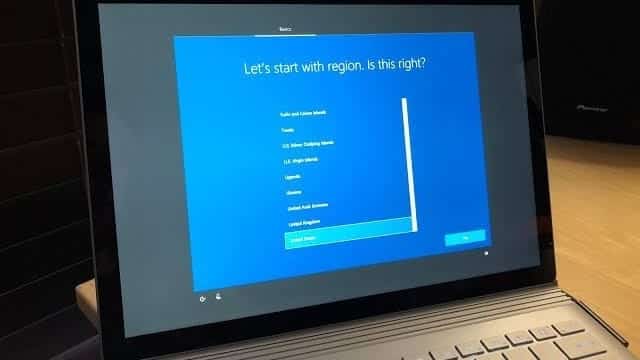
    Tips for Setting Up a New Windows 11 Computer

    November 12, 2024August 3, 2026

    Setting up a new Windows computer requires more than just powering it on – it’s about configuring the device to suit your needs while ensuring it’s secure and optimized. Whether you’re upgrading your primary computer or adding a new one to your tech lineup, here’s a basic guide to help you get the most out of your setup.

    Read More Tips for Setting Up a New Windows 11 ComputerContinue

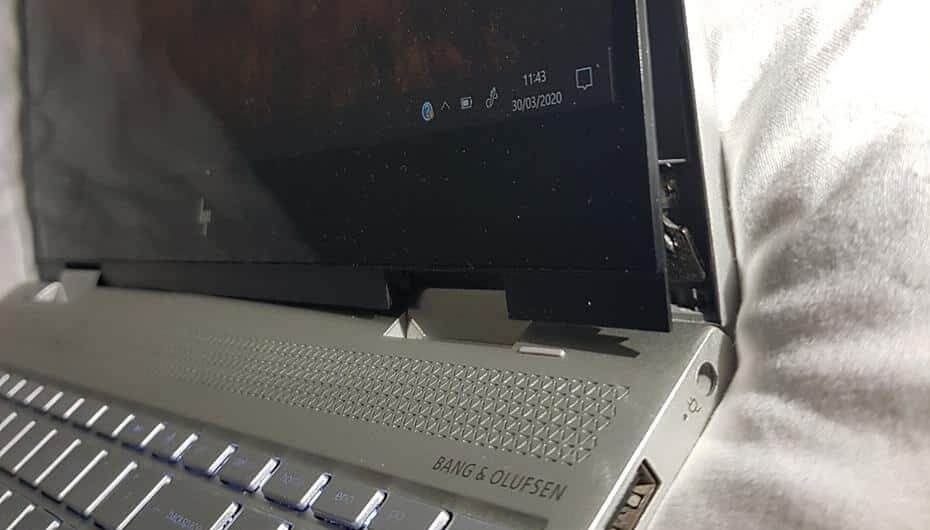
  • HP laptop hinge broken or loose

    How to Protect Your Laptop Screen Hinges from Breaking

    October 30, 2024August 14, 2026

    One of the most common repairs we do almost daily is weak or broken laptop hinges, or actually, the plastic parts they are attached to. Call me a conspiracy theorist, but I think it’s all a part of the planned obsolescence. What incentive do companies have to make a laptop that’s easy to repair and will last a decade? Market competition isn’t helping either, as all companies are trying to undercut each other by sacrificing quality and longevity.

    Read More How to Protect Your Laptop Screen Hinges from BreakingContinue

  • Blog - Do not buy touch screen laptops

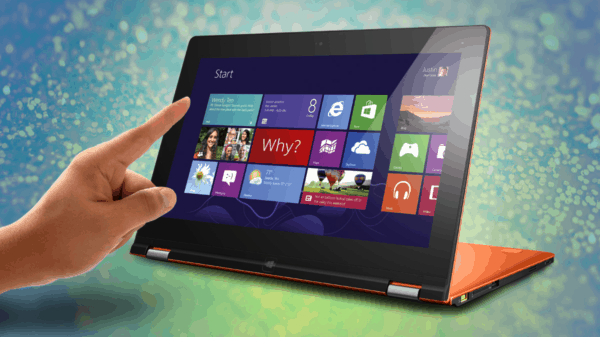
    Why Laptops with Touchscreens Are Overrated

    October 25, 2024August 14, 2026

    Another day, another laptop touchscreen replacement job… Last week we wrote about seven laptop buying mistakes. Getting a laptop with a touchscreen is another mistake for many people. They are more expensive and difficult to repair, and you will likely not use the touch functionality very often anyway.

    Read More Why Laptops with Touchscreens Are OverratedContinue

  • Why you should choose a business laptop

    7 Laptop Buying Mistakes and How to Avoid Them

    October 17, 2024August 3, 2026

    Purchasing a laptop is a big investment, and making the right choice can save you both time and money. If you want a device that truly meets your needs, there are many factors to consider aside from the price and technical specifications. Understanding what you need – whether it’s gaming power or everyday efficiency – is crucial to making a smart decision. Let’s break down these seven common mistakes and help you find the perfect laptop for your needs.

    Read More 7 Laptop Buying Mistakes and How to Avoid ThemContinue

  • Sync several devices with OneDrive

    How Did My Stuff End Up in OneDrive?

    October 10, 2024August 3, 2026

    Last week we discussed the difference between various sync tools. Let’s focus on OneDrive today. Microsoft insists on using OneDrive to back up your Desktop, Documents and Pictures. While it’s not a proper replacement for a full computer backup, we found that it saved many of our clients from losing important files when their computers crashed, and they didn’t have backups. It’s easy to use when you have just one computer, but it can get quite messy when multiple devices are synced!

    Read More How Did My Stuff End Up in OneDrive?Continue

  • Managing files in the cloud storage

    What’s the Difference Between OneDrive, Google Drive, Dropbox and iCloud?

    October 2, 2024August 3, 2026

    Cloud storage can sometimes be very confusing. There are several cloud storage providers, and each vendor wants you to use (and pay!) for their own. We frequently get asked which one is the best and what our customers should be using. There is no clear answer, as it all depends on what features you need. I personally use all of them except Dropbox, and here is why…

    Read More What’s the Difference Between OneDrive, Google Drive, Dropbox and iCloud?Continue

  • Digital photo frame with picture of a deceased relative

    What Happens to Your Accounts and Data After You Die?

    September 25, 2024August 3, 2026

    This week’s topic may seem morbid, but it’s an important issue we all need to consider – just as essential as writing wills, planning estates, and securing life insurance. Consider making a proper plan to protect your digital footprint today. Whether you choose to use a password manager, assign emergency contacts, or utilize account inactivity tools, managing your digital legacy is a key part of modern estate planning.

    Read More What Happens to Your Accounts and Data After You Die?Continue

  • How to keep your emails when moving to another account

    How to Back Up Your Emails

    September 18, 2024August 3, 2026

    Emails contain some of the most important data we need in today’s world. And just because it’s usually stored in the cloud, doesn’t mean it’s safe from accidental deletion, user errors, account lockouts – all of these can cause you lose years of correspondence with your contacts, friends and family, banks, etc. If your emails are important, you should back them up regularly!

    Read More How to Back Up Your EmailsContinue

Page navigation

Previous PagePrevious 1 … 6 7 8 9 10 … 34 Next PageNext
Fix-My-Laptop-Logo-Ftr

service@fixmylaptop.au

(07) 3857 6875

0403 100 701

2/890 Sandgate Road, Clayfield QLD 4011

Book Repair Online

BUSINESS HOURS

Monday10:00 AM — 6:00 PM
Tuesday8:00 AM — 6:00 PM
Wednesday10:00 AM — 6:00 PM
Thursday8:00 AM — 6:00 PM
Friday10:00 AM — 4:00 PM
Saturday10:00 AM — 4:00 PM
SundayClosed

Updated hours are always available on Google Maps

JOIN OUR NEWSLETTER

Be the first one to know of our Tech Savvy tips and exclusive offers!

© 2026 Fix My Laptop Brisbane

Terms and Conditions

Privacy Policy

Facebook X Linkedin
Scroll to top
  • Laptop Repair
    • Screen Replacement
    • Battery Replacement
    • Charging Port Repair
    • Keyboard Replacement
    • Laptop Hinges Repair
    • Liquid Damage Repair
  • MacBook Repair
    • Screen Repair
    • Battery Replacement
  • Computer Repair
    • Hardware Repair
    • Windows Repair
    • Virus & Malware Removal
  • Upgrades
    • SSD Upgrade
    • RAM Upgrade
    • Mesh Wi-Fi Systems
  • Data Recovery
  • IT Solutions
    • Microsoft 365 Solutions
    • On-site Support
    • Remote Support
  • Computer Sales
  • Tech Tips
  • Request a Quote